

7 min read
How Guest Users Get Created in Your Microsoft 365 Tenant
Guest users are one of the most powerful collaboration features in Microsoft 365. They allow organizations to work with vendors,...

4 min read
Nick Ross
:
Updated on March 9, 2026
Guest users are one of the most powerful collaboration features in Microsoft 365. They allow organizations to work with vendors, consultants, customers, and partners without creating full internal accounts.
But if you ask most administrators how guest users get created in their tenant, the answer is usually simple.
Someone sends an invite.
That answer is only part of the story.
Not all guest users are created the same way. More importantly, they do not always appear with the same level of intent, visibility, or oversight. In many Microsoft 365 environments, guest accounts appear over time through workflows that IT never directly approved.
In this article we will walk through:
The two main ways guest users are created in Microsoft 365
Why some guest accounts are intentional while others appear unexpectedly
How organizations end up with hundreds or thousands of guest accounts
The SharePoint B2B integration setting that changes how guest identities are created
If you want more background on the security risks of guest access, check out my previous video where I explain how compromised guest accounts can be used to attack organizations.
Let’s start with the method most organizations expect.
Imagine your company is working with:
A managed service provider
A security consultant
An outsourced accounting firm
In these situations you usually want the external partner to access more than just a single file. They might need access to:
A Microsoft Teams workspace
A SharePoint site
A line of business application
The most structured way to accomplish this is by inviting the guest directly into Microsoft Entra.
Someone with the appropriate permissions can add the external user as a guest and then assign them to a group. That group can grant access to applications, SharePoint sites, Teams workspaces, or other resources.
This process is deliberate and auditable. When you look in Microsoft Entra, the guest account usually has a clear purpose.
For example, you might see a user that represents your accounting vendor. Their presence in the directory makes sense because they are tied to a specific collaboration scenario.
You can think of this method as the front door to your tenant.
Before we look at other guest creation paths, it is important to understand the default configuration in many Microsoft 365 tenants.
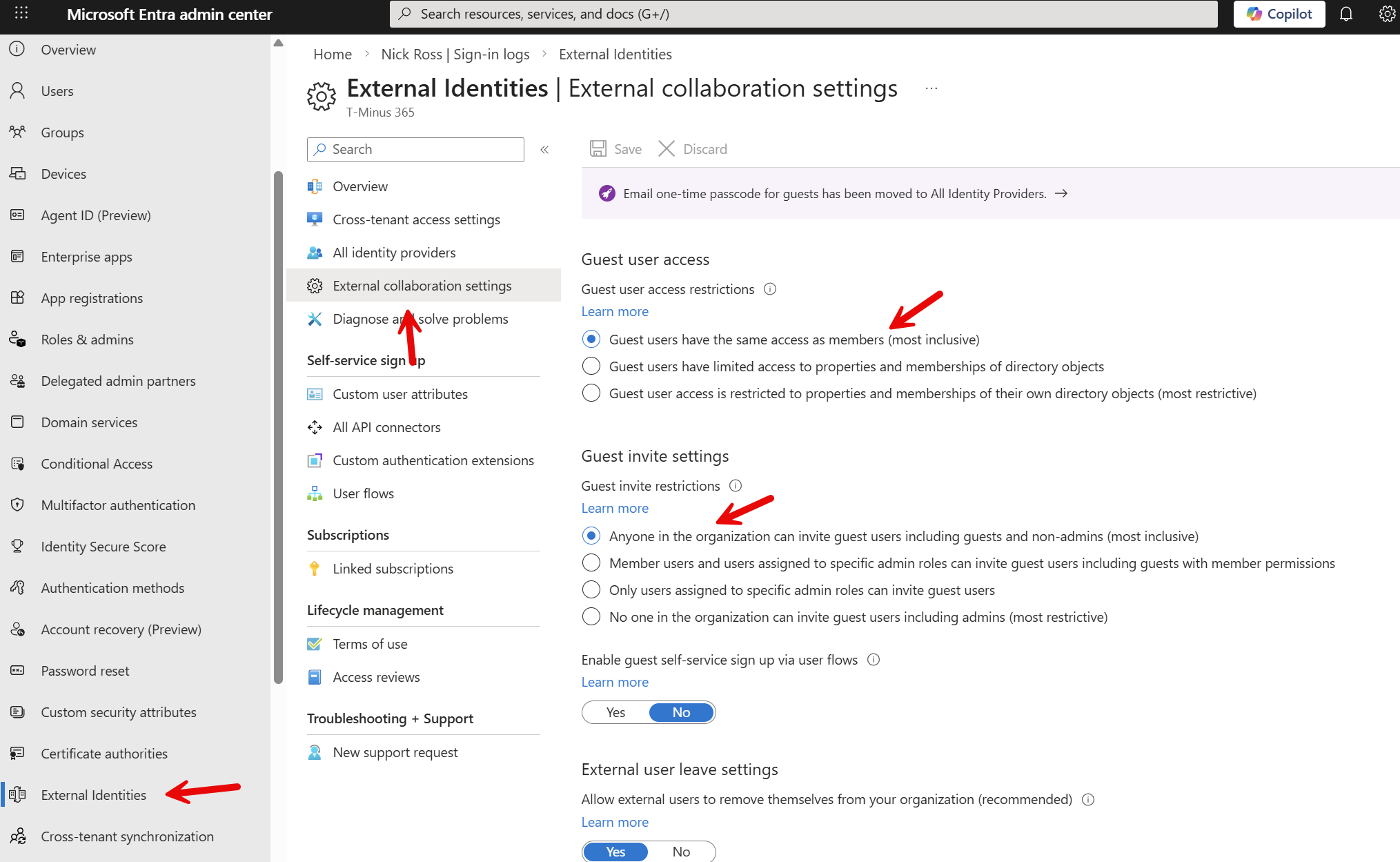
By default, Microsoft allows most users to invite guest accounts.
You can see this configuration in Microsoft Entra.

Within this section you will find the guest invitation restrictions setting.
In many environments the default configuration allows:
Members to invite guests
Non admins to invite guests
Even guest users to invite additional guest
This means guest access is not limited to administrators. In many organizations, regular users can invite external collaborators without any IT approval.
From a collaboration standpoint this can be convenient. From a governance standpoint it often leads to a large number of guest accounts over time.
Guest Access Restrictions
Guest can also enumerate over every user in the tenant. This is an extreme security concern. Attackers have breached Guest accounts and used tools like Graph runner to enumerate over every user in a tenant which allows them to do reconnaissance for lateral movement.
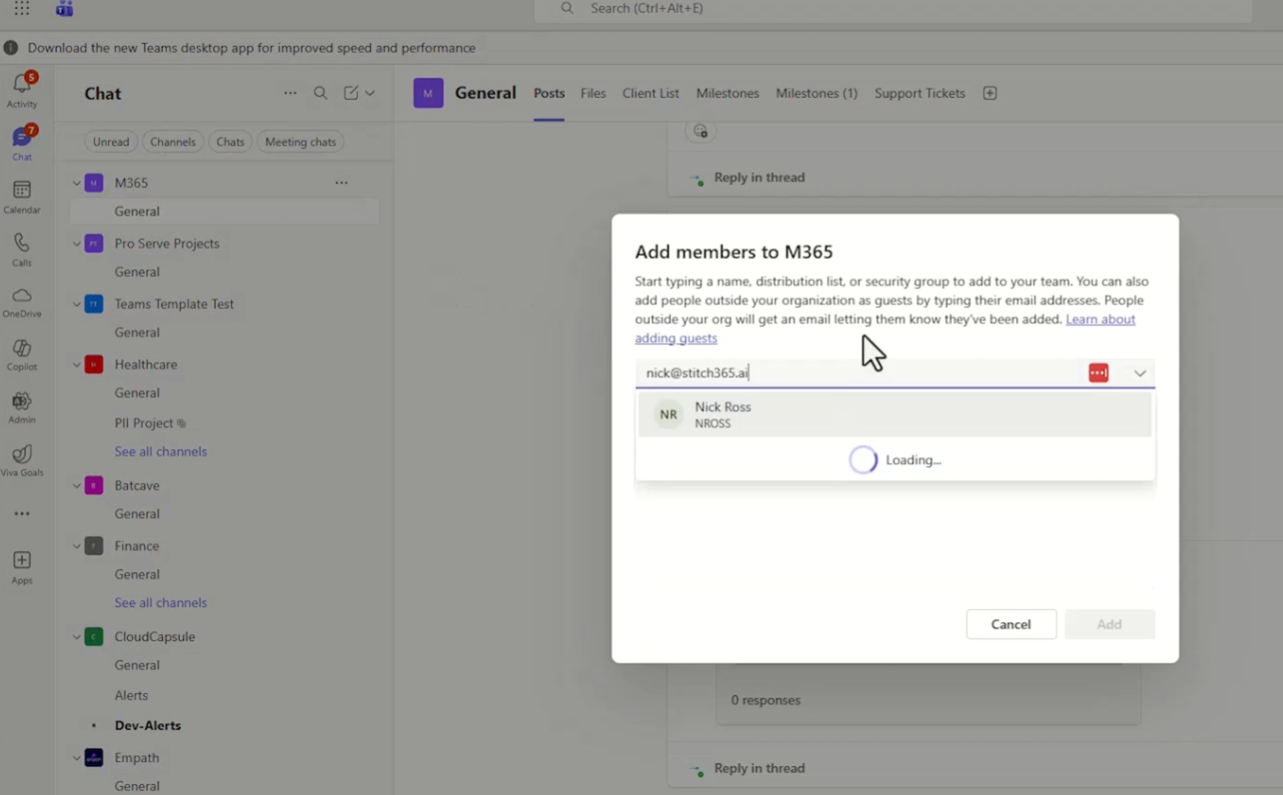
One common way guest users are created is through Microsoft Teams.
A team owner may want to collaborate with someone outside the organization. They simply add the external email address as a member of the team.

Once the invitation is sent, the external user receives an email notifying them they have been added to the team.
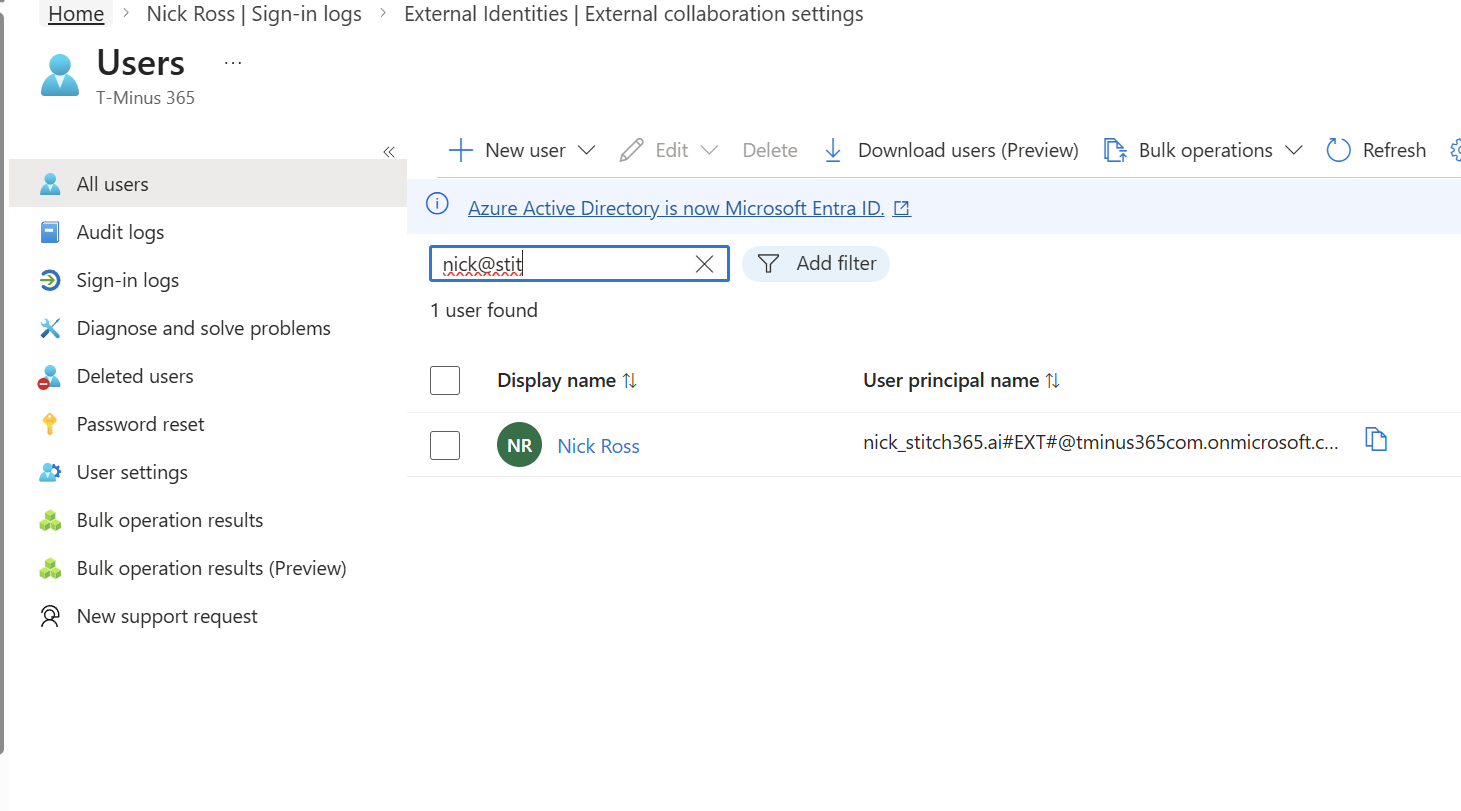
When they accept the invitation, Microsoft creates a guest account for them in the tenant directory.
The user then signs in and completes the onboarding flow, which may include setting up multi factor authentication for the tenant they are accessing. After the user accepts the invitation, a guest identity appears in Microsoft Entra.

The invitation type typically shows as an external Azure AD invitation.
In this case, no administrator had to approve the guest. The team owner was able to create the guest identity simply by inviting them into the team.
In many environments this results in large numbers of guest users that remain active long after the original collaboration has ended.
There is another workflow that surprises many organizations.
Picture a few common business scenarios:
HR is working with a recruiter.
Legal is reviewing a contract with an external attorney.
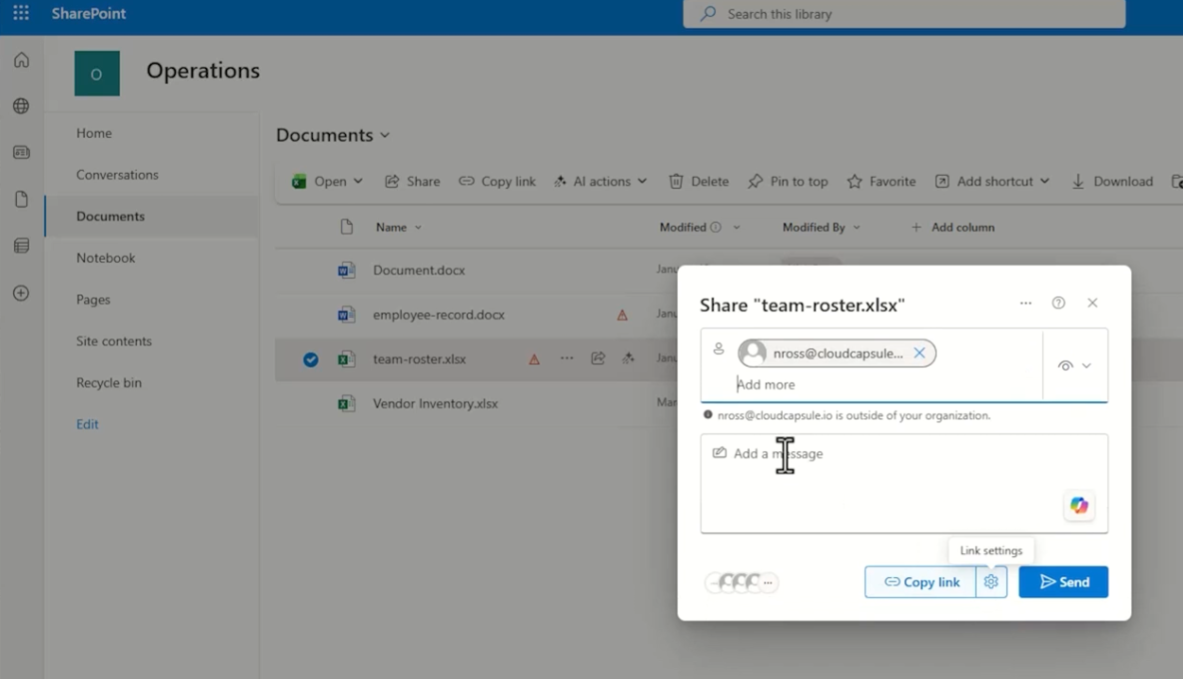
Finance sends a spreadsheet to an external auditor.
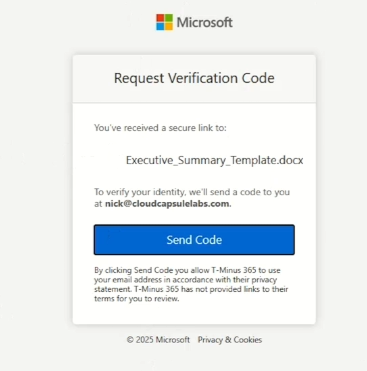
In each case, the user simply clicks Share in SharePoint, Teams, or OneDrive and enters an external email address.

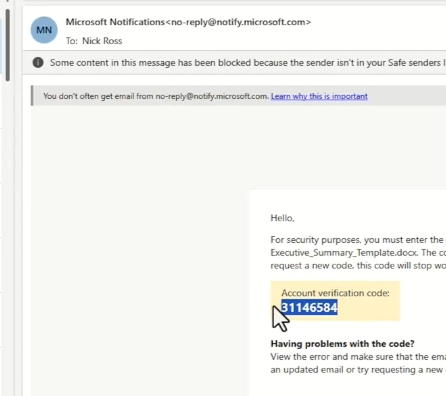
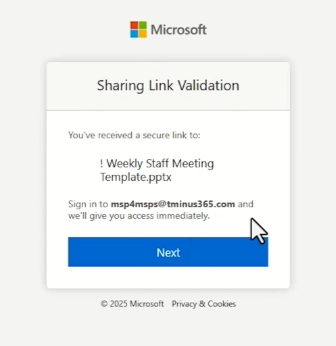
The external user receives the link and signs in to access the document.
Behind the scenes, something important may happen.
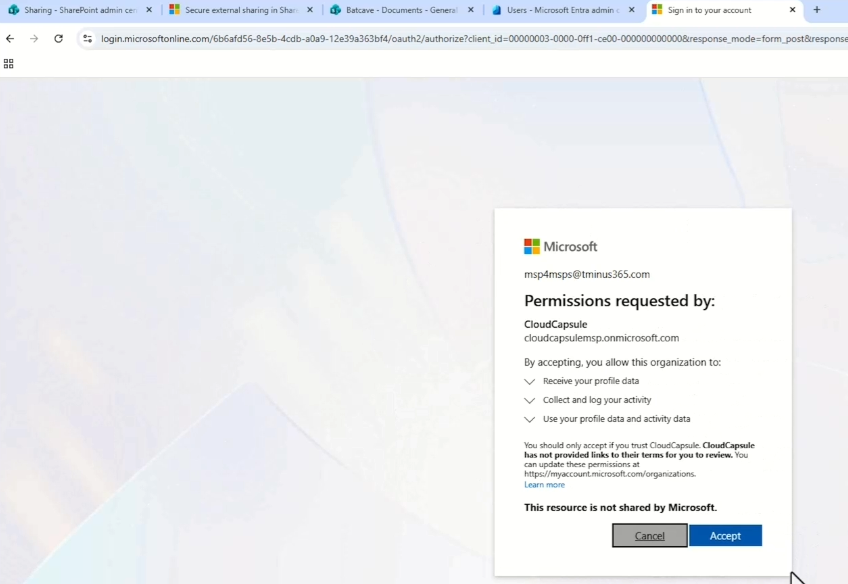
A guest identity may be created automatically in Microsoft Entra.
The user now exists as part of your tenant’s identity inventory even though IT never directly invited them.
This is the moment where many organizations say:
How did that person get access?
Why do we have so many external users?
The answer often comes down to SharePoint B2B integration.
SharePoint does more than just share files.
It can communicate directly with Microsoft Entra and create identities when external sharing occurs.
Whether this happens depends on a specific tenant setting called SharePoint B2B integration.
When this integration is enabled, SharePoint is allowed to automatically create guest users in Microsoft Entra when documents are shared externally.
No administrator approval is required. No group membership is needed. The identity is created automatically as part of the sharing experience.
This is excellent for collaboration. It makes it very easy for employees to work with people outside the organization.
However, it also means guest accounts can exist with:
No clear owner
No group assignment
No expiration policy
Over time, tenants can accumulate hundreds or even thousands of guest accounts that were created through everyday collaboration. Secure external sharing in SharePoint – SharePoint in Microsoft 365 | Microsoft Learn
Unfortunately, this setting is not visible in the graphical admin portals today. It must be checked using PowerShell.
You can connect to the SharePoint Online service and run the following command.
PowerShell to change settings: Microsoft Entra B2B integration for SharePoint & OneDrive – SharePoint in Microsoft 365 | Microsoft Learn
If the value is set to False, SharePoint will use a verification code flow for external users. In this case a guest identity is not automatically created.
If the value is set to True, SharePoint will create a guest user in Microsoft Entra when external sharing occurs.


From that point forward the user exists as part of the tenant’s directory and can be granted access to additional resources.
This is the same type of identity that would be created if they were invited directly into a team.
The goal is not to eliminate guest collaboration.
External collaboration is essential for modern businesses.
The goal is to understand three key things:
Who is allowed to create guest users.
Which Microsoft 365 services can automatically create them.
Whether those guest accounts are reviewed and removed when they are no longer needed.
When a security incident involves a guest account, the question is rarely whether external sharing was enabled.
The question is usually why that person still had access years later.
Regular access reviews and guest lifecycle management are essential to keeping external collaboration secure.
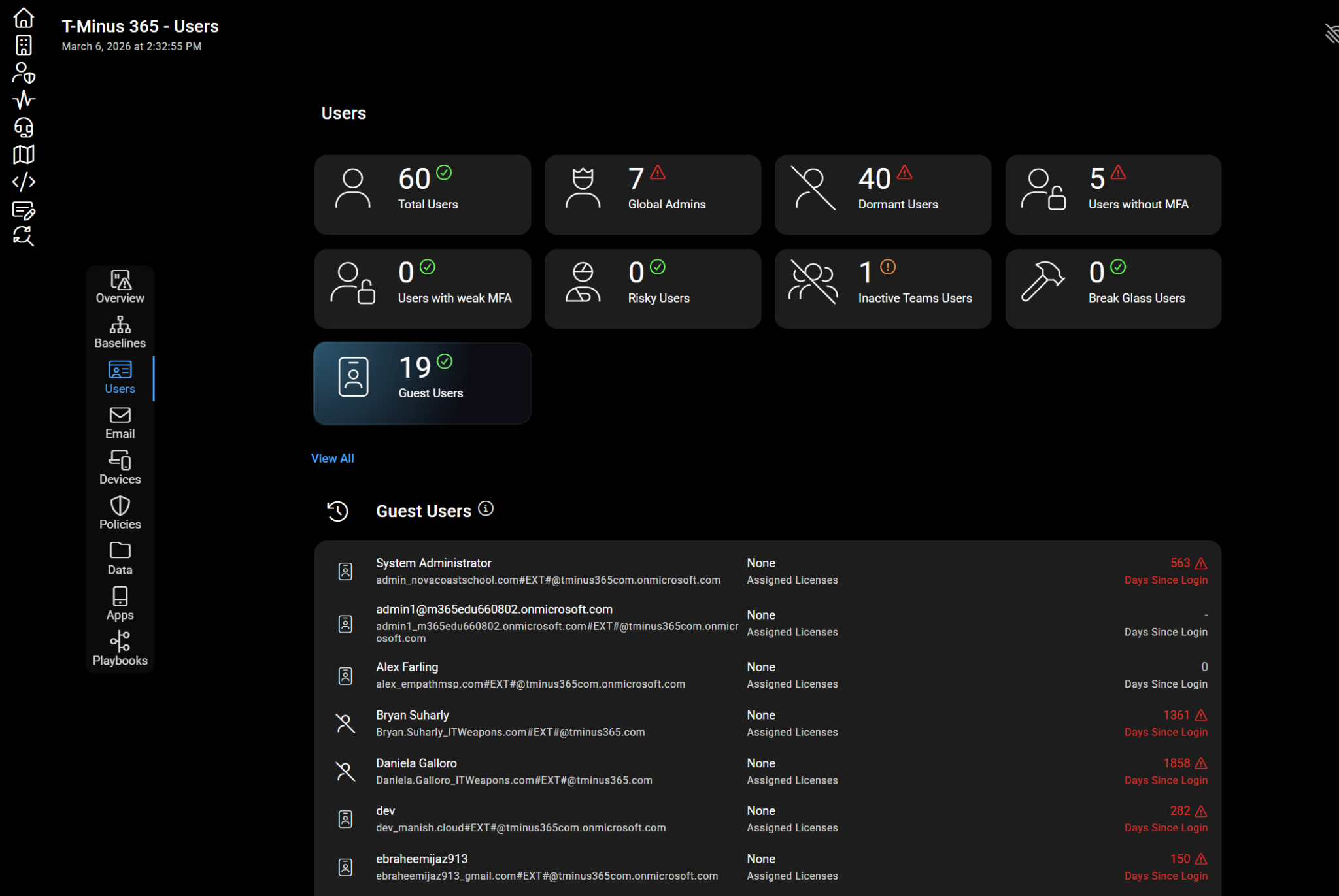
In CloudCapsule, we do automated the discovery, monitoring, and reporting of all Guest Users and Guest users setting in the tenant. You can run an assessment in 60 seconds to see what your posture looks like across tenants.

7 min read
Guest users are one of the most powerful collaboration features in Microsoft 365. They allow organizations to work with vendors,...

9 min read
Check out the latest updates on Microsoft 365 as CloudCapsule CEO & Microsoft MVP Nick Ross cuts through the noise and delivers the key...
12 min read
Do You Really Know Where Your HR Data Lives in Microsoft 365? Most HR teams think they know where their sensitive data lives. “We have a...