

3 min read

Cyber Essentials with Microsoft 365: 2026 Guide

Cyber Essentials with Microsoft 365: 2026 Guide


Cyber Essentials is supposed to make your business safer but for many organizations, it ends up feeling expensive, overwhelming, and confusing.

You start Googling Cyber Essentials tools and Cyber Essentials requirements, and suddenly you’re facing:

  • A stack of quotes from new vendors

  • Tools you’ve never heard of

  • Technical controls that feel impossible to map

  • The fear of failing an audit

But here’s the truth most businesses don’t realize:

If you’re already using Microsoft 365 Business Premium, you likely own everything you need to pass Cyber Essentials, without buying anything new.

In this guide, I’ll show you exactly how to meet Cyber Essentials v3.3 using just:

  • Microsoft Entra

  • Microsoft Intune

  • Defender for Business

And I’ll include external documentation for every configuration step so you can implement these policies in your own tenant.

Client Example

A few months ago, I worked with a small financial services company in the UK.

A partner alerted them:

This is a sample blockquote banner that spans the full width of the page with 20px padding.


Panic immediately followed.

❌ Do we need a new firewall?
❌ Should we buy MDR?
❌ Will we fail the audit?

They braced for a massive security spend.

But after reviewing their environment, we found something surprising:

They were already paying for Microsoft 365 Business Premium.

In other words, they already owned everything they needed, they just didn’t have it configured correctly.

We spent two weeks turning on and tuning the tools they’d been paying for all along.

The result?
✔️ They passed Cyber Essentials
✔️ They avoided buying unnecessary tools
✔️ They walked away with an environment far more secure than before


Cyber Essentials v3.3: The Five Technical Controls

Cyber Essentials focuses on five core areas:

  1. Firewalls

  2. Secure Configuration

  3. Security Update Management

  4. User Access Control

  5. Malware Protection

Everything below maps directly to these requirements.

1. Firewalls

blog_uk_cyber_essentials_1

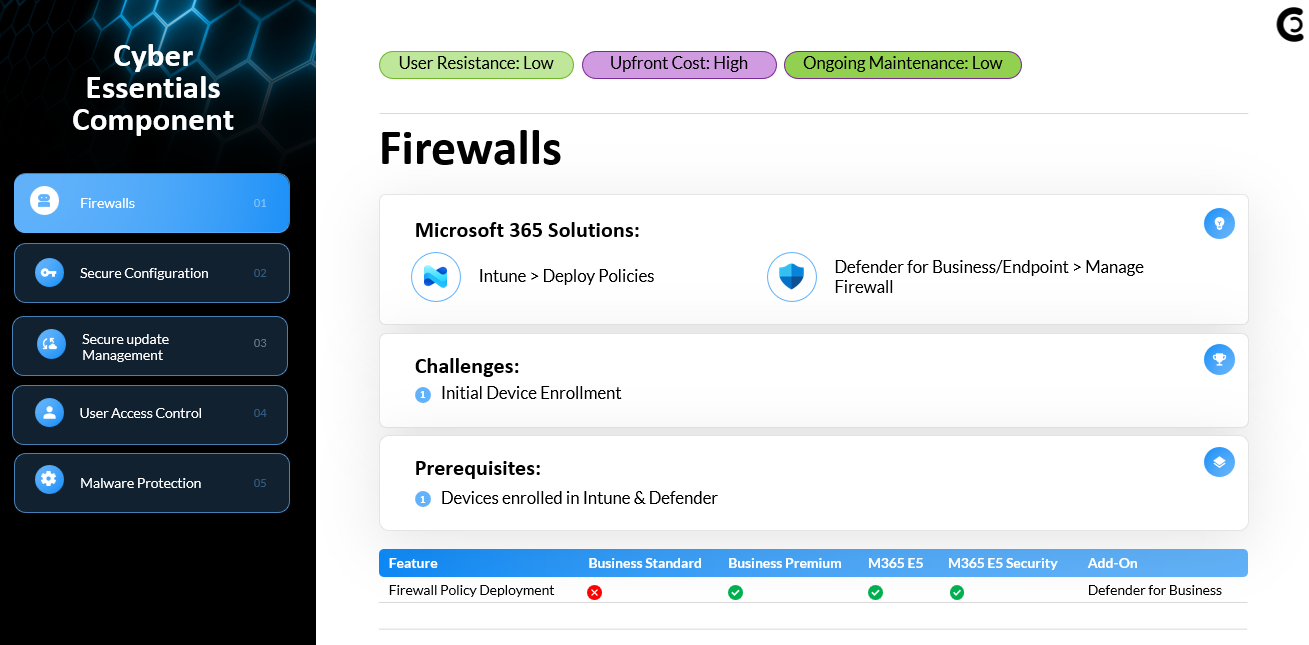
Cyber Essentials requires that all devices accessing business data are protected by an approved, centrally managed firewall. With Microsoft 365 Business Premium, this is handled through Intune’s Endpoint Security → Firewall policies.

Once devices are enrolled into Intune (via Entra join or Hybrid Join), you can enforce standardized Windows Defender Firewall rules across your entire fleet, no matter where the user is working. Combined with Conditional Access, you can also prevent unmanaged or personal devices from accessing corporate resources, ensuring that all incoming and outgoing traffic is protected and auditable.


2. Secure Configuration

blog_uk_cyber_essentials_2


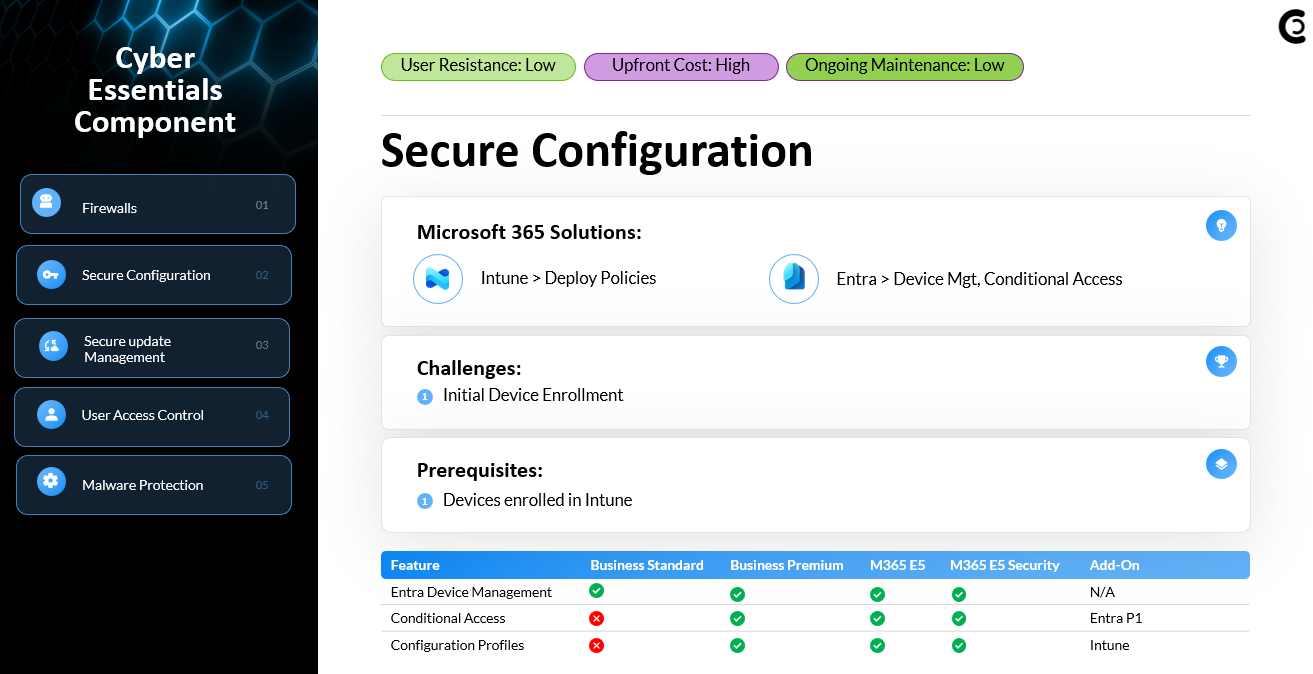
The secure configuration requirement focuses on hardening devices to prevent misuse or exploitation. Intune gives you the ability to centrally enforce settings like 
disabling AutoRun/AutoPlayenforcing screen lock timersrestricting local admin privilegesconfiguring BitLocker, and defining secure baseline settings.

Using Autopilot, you can also ensure every new device provisions with a hardened baseline—users are created as standard users, not local admins. These configuration profiles ensure every endpoint follows a consistent, secure standard aligned with Cyber Essentials expectations.


3. Security Update Management

blog_uk_cyber_essentials_3

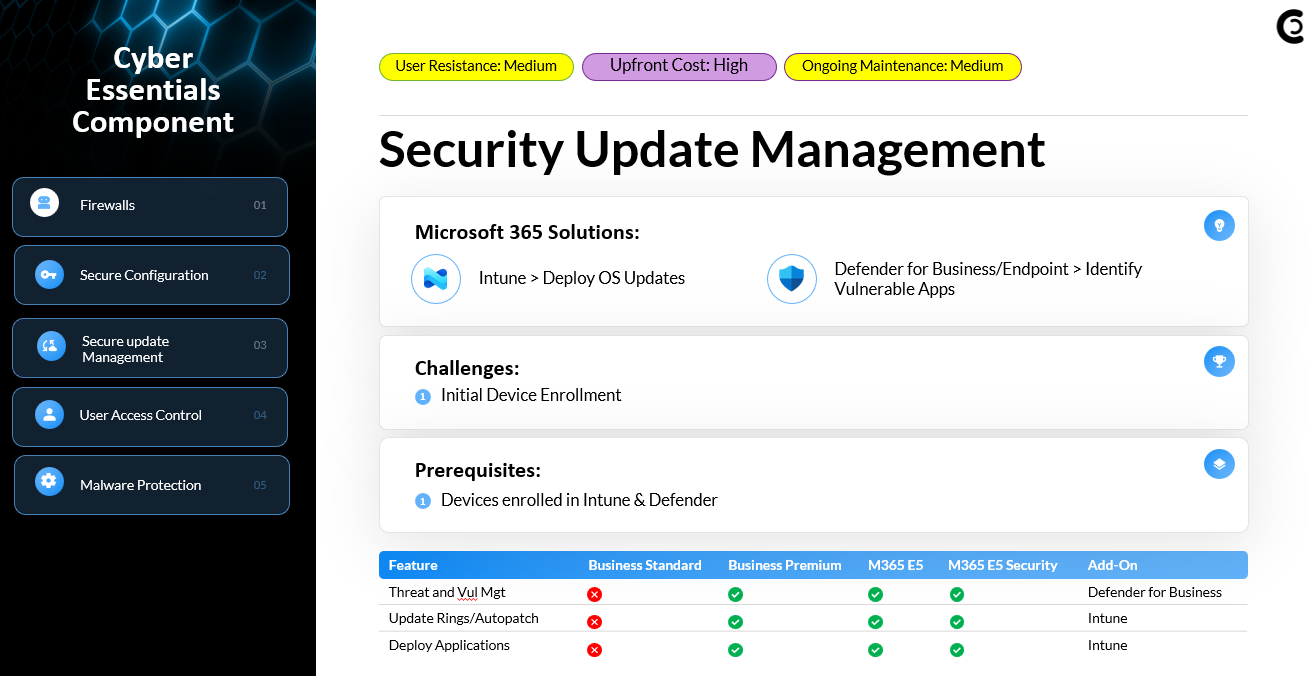
Cyber Essentials requires timely patching of operating systems and applications to reduce exposure to known vulnerabilities. In a Microsoft 365 environment, Intune update rings or Windows Autopatch ensure Windows updates are deployed on a reliable cadence.

On top of OS patching, Defender for Business provides built-in vulnerability management, giving you visibility into outdated applications, exposed devices, and critical CVEs. This combination allows you to manage both OS updates and third-party application security, reducing the likelihood of a breach due to unpatched software.


4. User Access Control

blog_uk_cyber_essentials_4

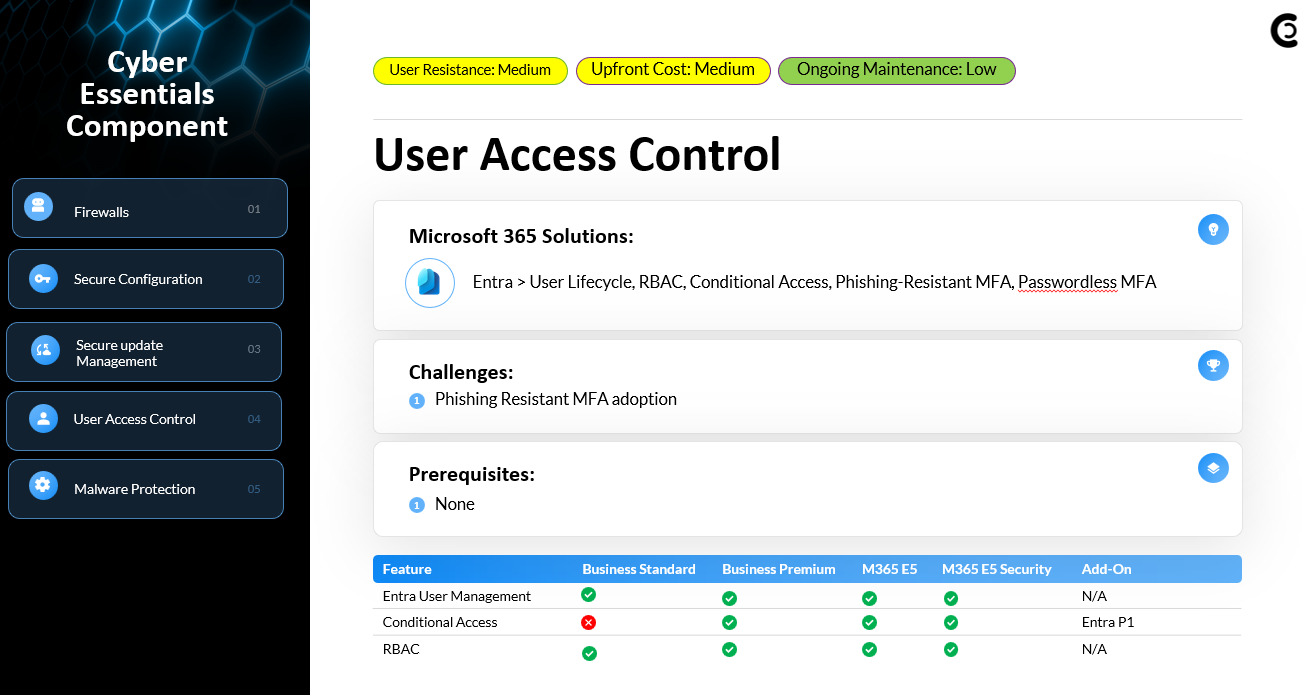
User Access Control is all about ensuring the right people have the right access at the right time. With Entra ID, you can enforce strong authentication through Conditional Access policies, including MFApasswordless authentication, and phishing-resistant authentication strengths such as FIDO2 or passkeys.

Entra also provides lifecycle management., individual user accounts (never shared accounts), onboarding/offboarding procedures, custom banned password lists, account lockout thresholds, and role-based access control for administrators. These controls ensure strong identity hygiene and reduce unauthorized access risks.


5. Malware Protection

blog_uk_cyber_essentials_5

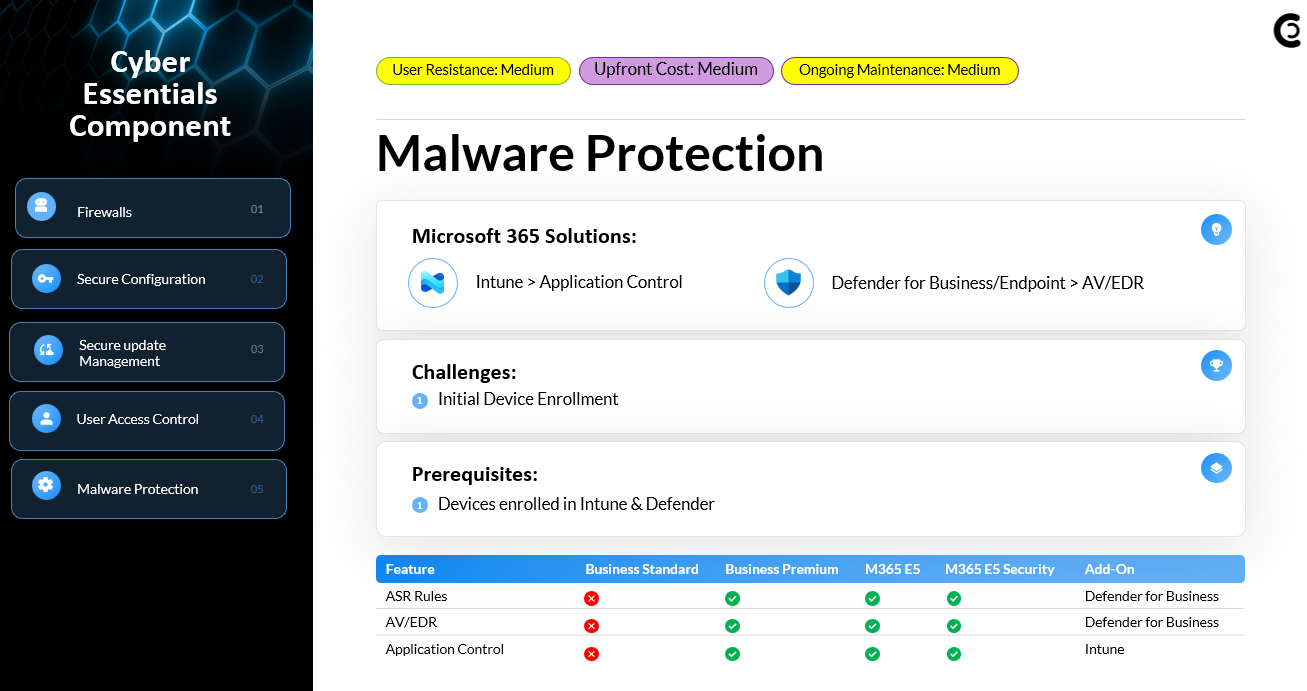
Cyber Essentials requires robust protection against viruses, ransomware, and malware. Defender for Business, bundled with Microsoft 365 Business Premium, provides enterprise-grade antivirus, endpoint detection and response, attack surface reduction rules, and Controlled Folder Access to mitigate ransomware activity.

Policies are deployed seamlessly through Intune, ensuring consistent protection across all endpoints. Defender’s vulnerability management dashboard also identifies outdated or risky applications that could lead to malware infections, giving organizations a complete malware defense strategy aligned with Cyber Essentials requirements.

Final Thoughts

Cyber Essentials doesn’t require expensive new tools.

If you already have Microsoft 365 Business Premium, you have:

  • Entra for access control

  • Intune for secure configuration & patching

  • Defender for malware protection

Configured correctly, these cover every requirement in Cyber Essentials v3.3.

New Risk Remediation Settings in Conditional Access

4 min read

New Risk Remediation Settings in Conditional Access

Imagine this scenario.Your CFO signs into Microsoft 365 from Denver.Two minutes later, there is another successful login. This time it is...

Read More
Upgrade your clients from Microsoft 365 Standard to Business Premium

15 min read

Upgrade your clients from Microsoft 365 Standard to Business Premium

NCE renewals are coming fast. Many small and mid-sized businesses are still running onMicrosoft 365 Business Standard, and in most cases...

Read More