

4 min read

Multi-Tenant M365 Security Management: Understand and Take Command

Multi-Tenant M365 Security Management: Understand and Take Command


Most MSPs don’t discover security gaps because they were looking for them. They find them mid-ticket, during a breach, or when a client calls with a problem that shouldn’t exist. A Conditional Access policy that was never deployed. Legacy authentication still wide open. Something that should have been caught six months ago.

I built CloudCapsule to solve the visibility problem first. If you’re already using it, you know what it feels like to see your entire M365 security posture, across all your tenants, in one place. Real reporting. Real data. No tenant-hopping.

We are excited to announce a new Manage tier that takes it one step further: find the gaps, fix them, from the same place.

blog_manage_1


The Real Cost of Manual M365 Security Management

Before we get into the product, it’s worth naming exactly what’s broken because the pain points are specific and they compound.

Remediation takes hours, and it still might not stick

When you find a gap, fixing it manually means research, scripting, testing, and applying, tenant by tenant. For a single control, that could be an hour of work. Across a portfolio of clients, it becomes a permanent backlog. And at the end of it, you often can’t verify that every tenant received the same fix, applied the same way.

Manual processes don’t produce consistent results

Ask two of your technicians to deploy the same Conditional Access policy to a new client. You will not get identical configurations. Not because they’re not skilled, but because manual processes require individual interpretation, and interpretation introduces variance. In security, variance is a gap.

Other tools don’t show you what’s actually deployed

There’s a meaningful difference between “this policy exists” and “this policy is enforced across every tenant.” Most security tools report on the former. They can’t tell you whether the configuration you pushed three months ago is still in place, was partially overwritten, or was missed on a handful of tenants entirely. CloudCapsule closes that gap, Manage lets you act on what you find.


Introducing CloudCapsule Manage

CloudCapsule Manage adds five capabilities on top of CloudCapsule’s existing reporting foundation. Each one is designed around the same principle: you already have the visibility, now here’s the action to fix it. 

1

Quick Fixes

Immediate security wins. Zero end-user disruption.

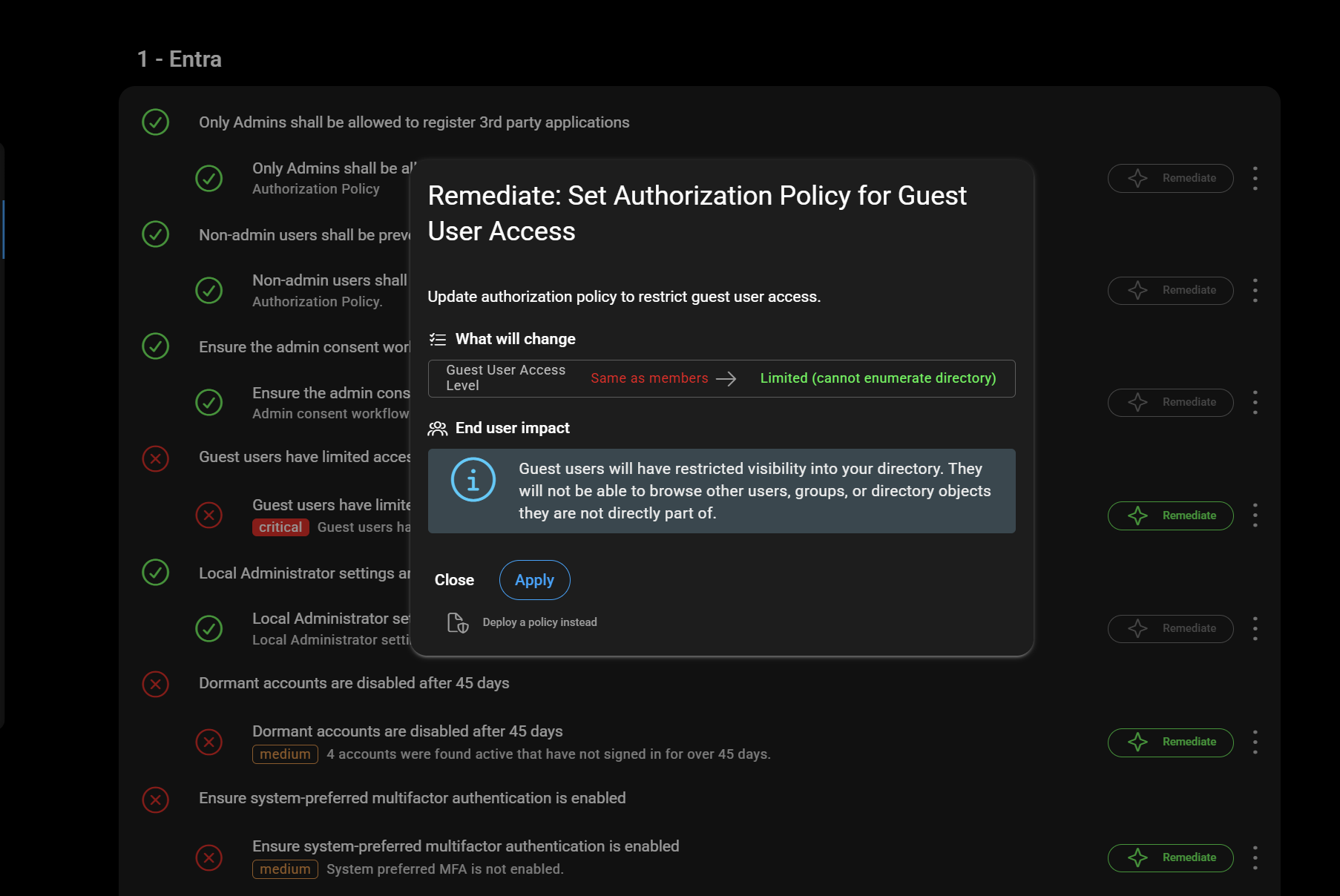
Quick Fixes are a curated set of identity-focused security improvements you can apply right now. Every fix is mapped to a concrete outcome, Secure Score improvement, a failing control resolved, a specific attack vector closed. And every single one comes pre-assessed for end-user impact, so you know exactly what you’re applying before you touch anything.

Most Quick Fixes are low to no end-user impact. That means no change management meeting, no client notification, no risk of a helpdesk ticket storm. You open CloudCapsule, review the failing controls, check the impact rating, and apply. Quick Fixes are how you go from “we found some things” to “we fixed some things” in minutes.


blog_manage_2

2

Policy Deployments

A library of 100+ remediations. Everyone deploys from the same source.

Quick Fixes handle the immediate wins. For deliberate, deeper configuration work such as Conditional Access policies, Intune configuration profiles, systematic hardening, Policy Deployments gives you a library of over 100 pre-built, pre-tested remediations.  

The core problem it solves: manual policy deployment is inconsistent by nature.

Every technician makes slightly different interpretation calls. Policy Deployments removes the interpretation entirely. Browse by category, select a policy, choose your target tenants, and deploy. The configuration came from a tested library. Not memory, not a copied script from two years ago.  The result is a team where everyone deploys the same thing, every time. No variance. No drift.


blog_manage_3


3

Policy Library

Your best work becomes your standard.

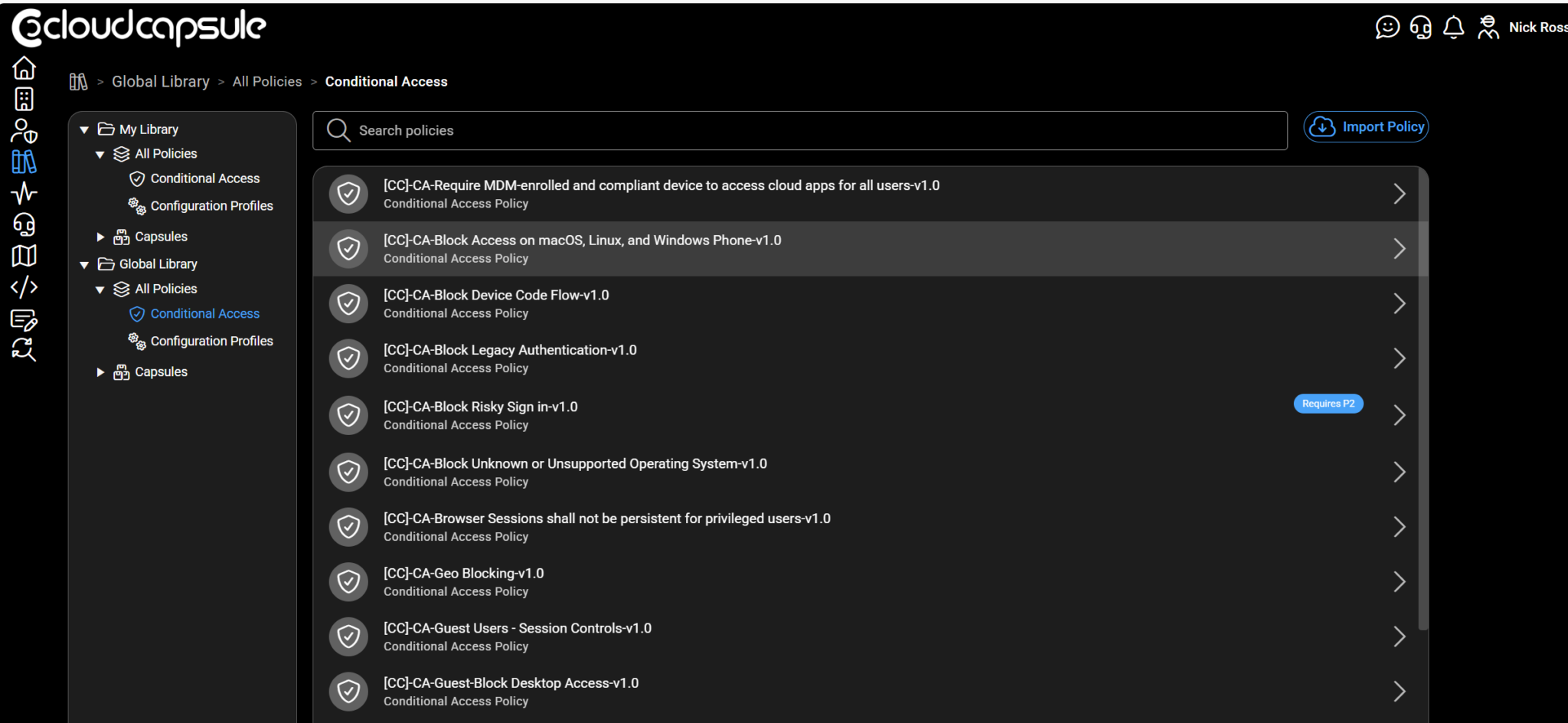
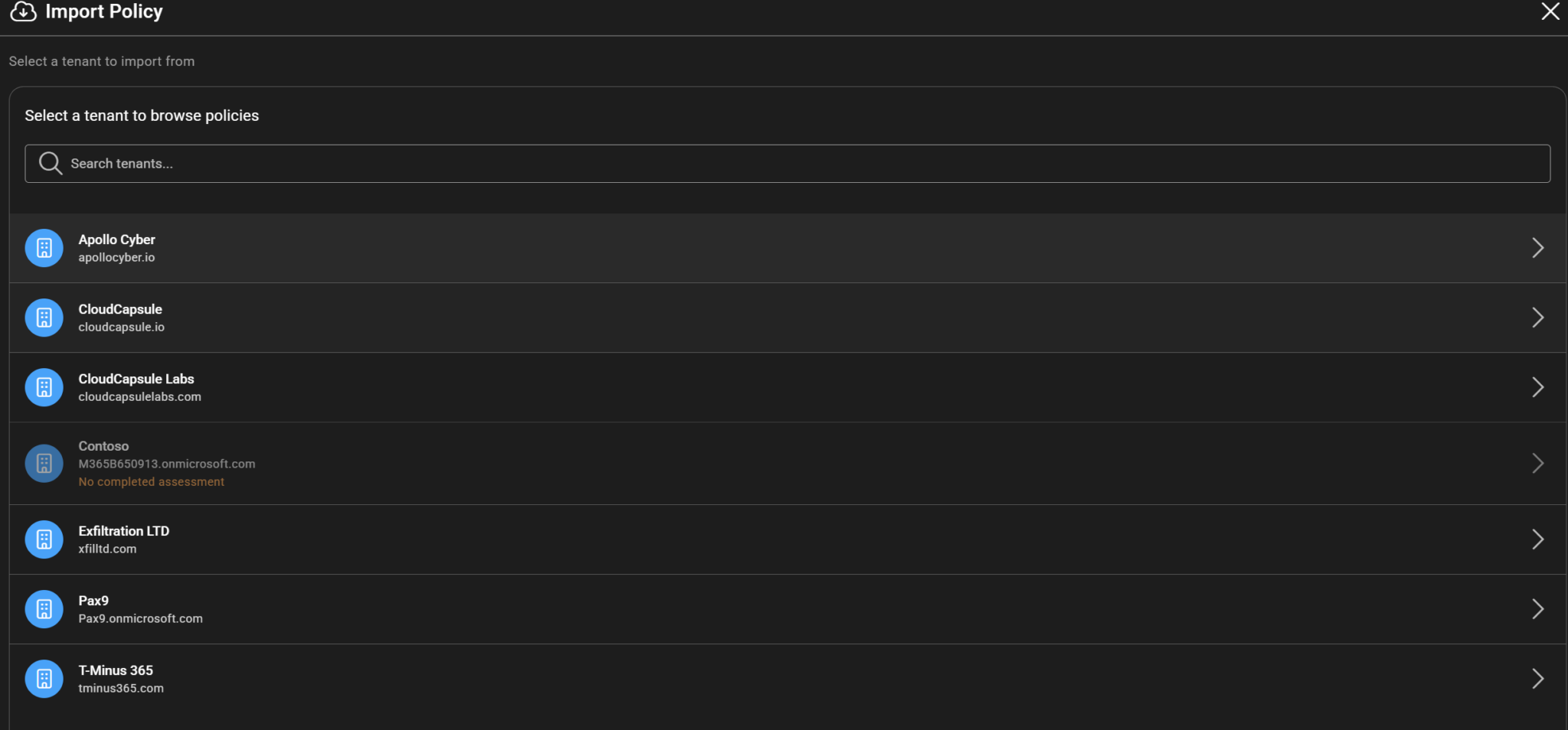
If you’ve already done the hard work of dialing in a sophisticated configuration on a flagship tenant, a mature Conditional Access setup, a carefully hardened baseline, that work shouldn’t live in one place. The Policy Library lets you capture it.  Import any policy directly from one of your downstream tenants, bring it into your library as a reusable template, and redeploy it to any tenant in your environment.

Your best-configured client becomes the template for every other client.  You’re not recreating your best work from memory every time you onboard a new client. You’re replicating it exactly. No golden tenant needed to pull in templates. 


blog_manage_4

3

Capsules

Deploy to business outcomes, not just policy lists.

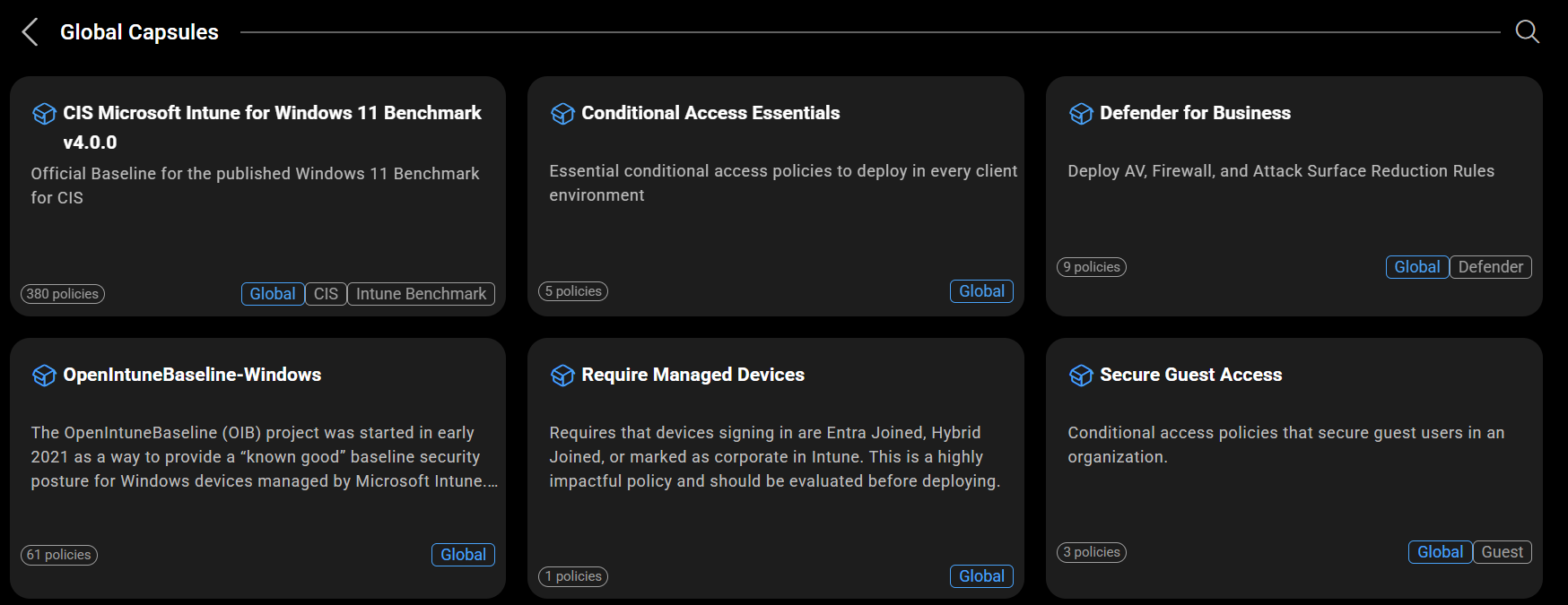
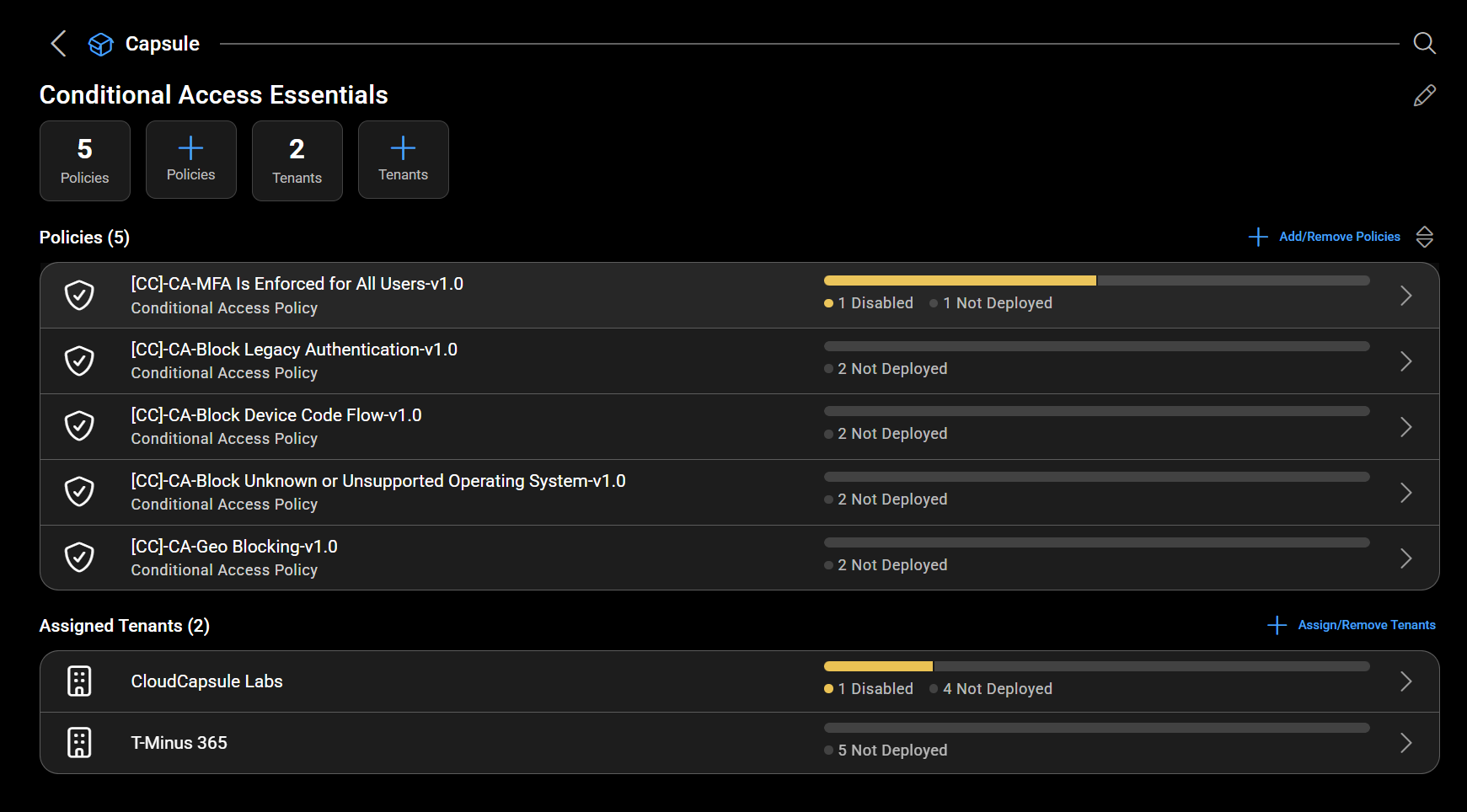
Your clients don’t think in policies, they think in outcomes. “We need Defender for Business deployed.” “We need to hit CIS compliance.” “We need a security baseline in place before this new client goes live.” Capsules are built around those outcomes.  A Capsule is a pre-bundled package of controls mapped to a specific business function or security baseline. CloudCapsule ships ready-to-go Capsules for things like Microsoft Defender for Business end-to-end deployment and the CIS Intune Benchmark.

You can also build your own, bundle your MSP’s standard controls into a single deployable package and push it across your entire customer base.  What makes Capsules genuinely different is multi-tenant deployment visibility. You get a live status grid: which clients have a Capsule fully deployed, which are partial, which are missing it entirely. All at once. No tenant-by-tenant login required.  That grid changes a client conversation from “we’re working on it” to “here’s the status.”


blog_manage_5blog_manage_6

3

Explorer

Find gaps before they find you.

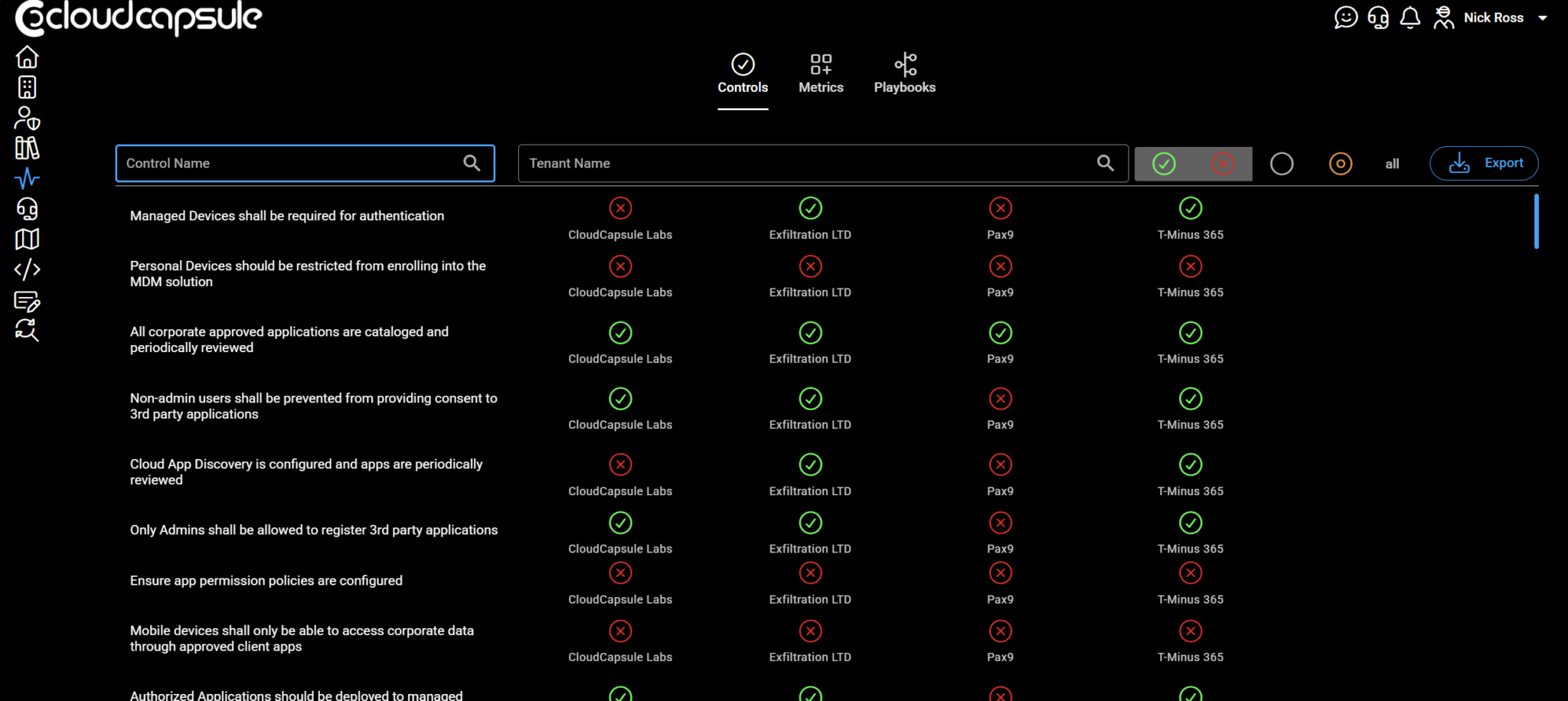
We started with the problem of finding gaps by accident. Explorer is what replaces that.  Explorer gives you a birds-eye view of policy status across every one of your clients, live, in one place.

Not a report you generate quarterly. A live view of where you have coverage and where you don’t. And because it’s built on CloudCapsule’s underlying data, what you’re seeing isn’t a surface-level score, it’s actual policy enforcement status.  Identify a gap, say, a Conditional Access policy active on 18 tenants but missing from 4, in seconds. Then act on it immediately.

Explorer connects directly to Policy Deployments and Quick Fixes, so insight and remediation live in the same workflow. No context switching. No ticket. Just: found it, fixed it.  That gap that would have shown up as a surprised client call six months from now? You just found it proactively.


blog_manage_7

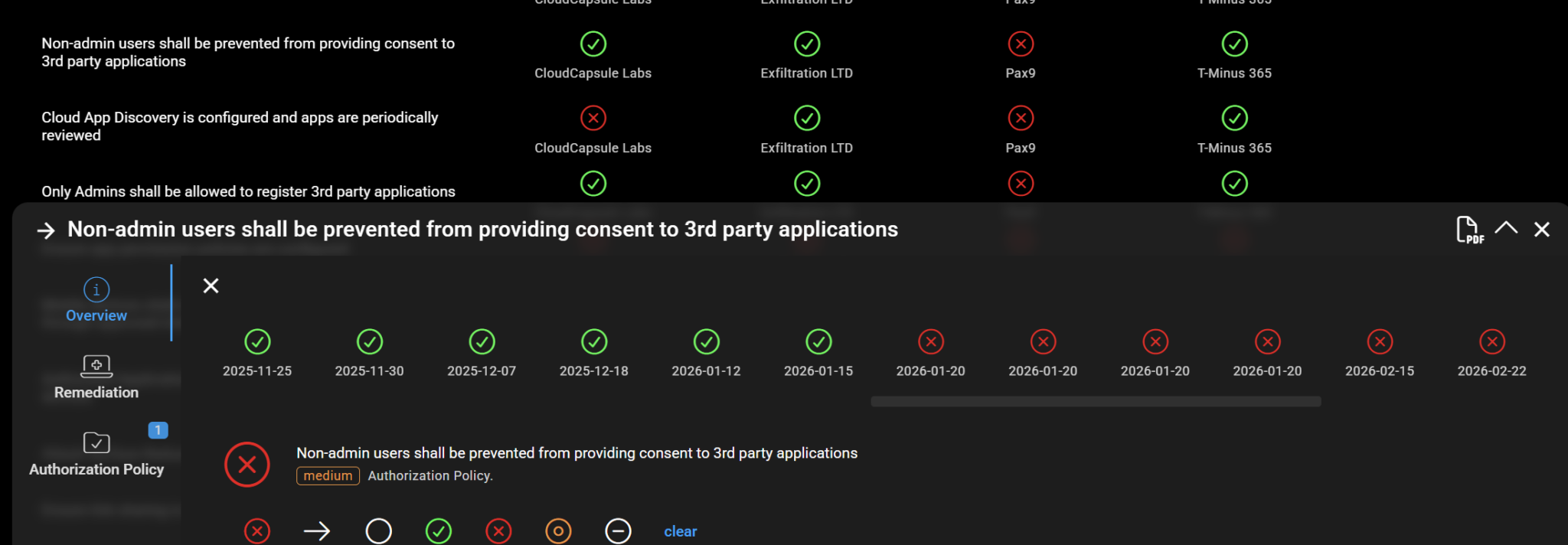
Identify when policies reverted:

blog_manage_8


From Reporting to Managing: What This Changes

The shift CloudCapsule Manage represents isn’t just a feature upgrade, it’s a change in what’s possible for MSPs running M365 security at scale.

Before CloudCapsule Manage

After CloudCapsule Manage

Gaps found by accident

Gaps surfaced proactively via Explorer

Remediation takes hours per tenant

Quick Fixes applied in under a minute

Two techs, two different results

100+ tested remediations, one standard

Best config lives in one tenant

Policy Library makes it portable everywhere

Compliance = a quarterly report

Capsule deployment status, live across all clients

“We think we’re covered”

“Here’s proof we’re covered”


blog_manage_9

Managing M365 Security Should Feel Like You're in Control

Not like you’re one tenant away from a surprise. Not like you’re always reacting. Not like the consistency of your security coverage depends on who was on shift the day a new client was onboarded.

CloudCapsule Manage is how MSPs move from reactive to proactive, from inconsistent to standardized, from hoping they’re covered to knowing they are, with the data to prove it.

The visibility was always step one. This is step two.

Multi-Tenant M365 Security Management: Understand and Take Command

9 min read

Multi-Tenant M365 Security Management: Understand and Take Command

Most MSPs don’t discover security gaps because they were looking for them. They find them mid-ticket, during a breach, or when a client...


Read More
Free Microsoft 365 Security Training platform for MSPs

4 min read

Free Microsoft 365 Security Training platform for MSPs

Here’s something that bothers me about the MSP industry: we hand technicians the keys to dozens, sometimes hundreds, of Microsoft 365...

Read More
Lawyers: Copilot Notebooks Will Save You HOURS

6 min read

Lawyers: Copilot Notebooks Will Save You HOURS

Every lawyer I’ve ever talked to has the same problem.They get staffed on a new case or a new deal, and someone hands them a stack of...

Read More