1 min read

Updates to CloudCapsule Essentials

Updates to CloudCapsule Essentials

New Features for CloudCapsule Essentials

As summer winds down, we’re excited to share the latest updates to CloudCapsule Essentials—the platform many of our partners rely on to power security processes and client engagements. These new features make it even easier to strengthen security posture, deliver client value, and drive new service opportunities.

blog_new_essentials_smb1001


Expanded Baselines 

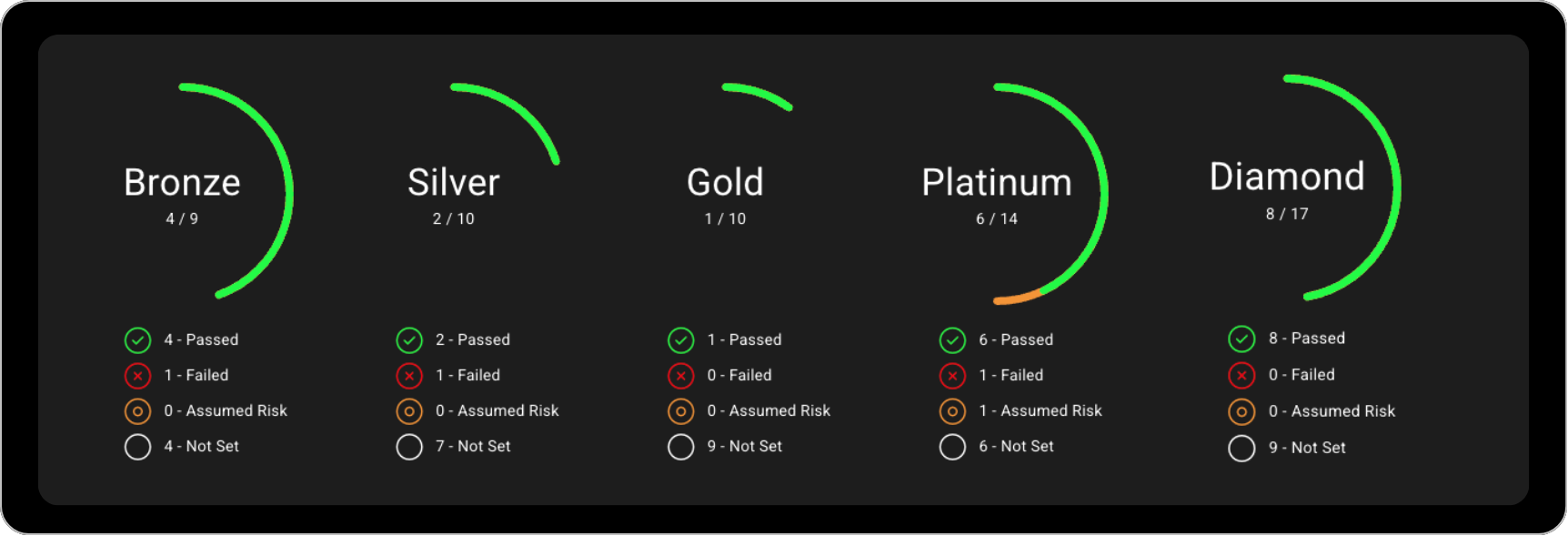
CloudCapsule Essentials now includes the CIS M365 Foundations Benchmark, plus the SMB1001 framework for our Australian partners—joining the ACSC Essential Eight released earlier this summer.

With these additions, CloudCapsule Essentials now supports:

And we’re not stopping there—coming soon you’ll see support for the Cyber Essentials standard (for EU partners) and NIST 800-171. Stay tuned!


blog_new_essentials_playbooks

vCIO Playbooks for Essentials 

Our vCIO Playbooks continue to be one of the most popular features in CloudCapsule. They help MSPs present security improvements in a business-friendly way, while providing the detailed steps needed to deliver outcomes. Each playbook highlights the business case, surfaces related tenant findings, and includes short-, mid-, and long-term remediation plans—plus a full project scope of work to support professional services.

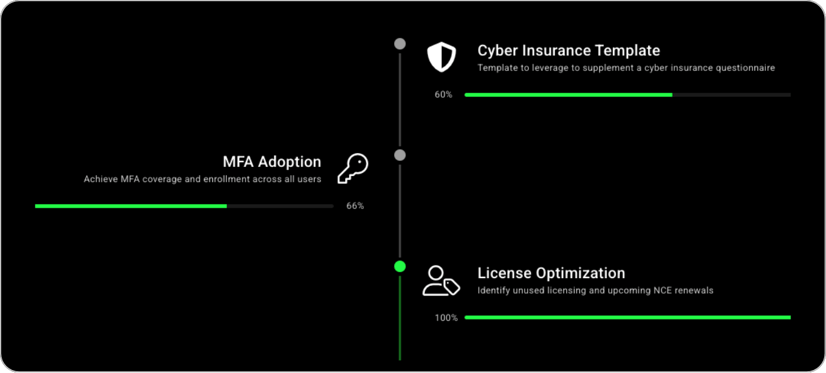
By popular demand, we’ve added three core playbooks to Essentials:

  • MFA Adoption Playbook – Help clients adopt this critical security control with a clear business case and tenant-specific findings.

  • License Optimization Playbook – Review licensing across the tenant, understand how licenses are assigned, and map them to users. Especially valuable during NCE renewal cycles.

  • Cyber Insurance Playbook – Simplify the application and renewal process by focusing on the most common security requirements, with the option to export a PDF for client submissions.


New Essentials Functions 

We’ve also introduced Device Exclusions for CloudCapsule Essentials. This allows you to exclude specific devices—like spares or utility devices (e.g., meeting room PCs)—to reduce false positives and improve reporting accuracy.


More Updates Coming Soon 

This is just the beginning. We have a wave of new features rolling out this fall to make CloudCapsule Essentials even more powerful. Stay tuned—you won’t want to miss what’s next!

What’s New in Microsoft 365 | November Updates | Ignite Highlights

18 min read

What’s New in Microsoft 365 | November Updates | Ignite Highlights

Microsoft announced quite a few new features and licenses options during their annual Microsoft Ignite 2025 conference in San Francisco....

Read More
Microsoft 365 Copilot for Business: What You Need to Know

5 min read

Microsoft 365 Copilot for Business: What You Need to Know

Microsoft just dropped a brand-new Copilot SKU specifically for small and medium businesses. Lower cost, same Copilot capabilities. Let me...

Read More
Autopilot Device Preparation Tutorial | Is it better than v1?

16 min read

Autopilot Device Preparation Tutorial | Is it better than v1?

Windows Autopilot has been around for years, and many admins have built entire deployment processes around what we now call “Autopilot V1.”...

Read More