

6 min read

Upgrade your clients from Microsoft 365 Standard to Business Premium

Upgrade your clients from Microsoft 365 Standard to Business Premium


NCE renewals are coming fast.

Many small and mid-sized businesses are still running on Microsoft 365 Business Standard, and in most cases when their renewal hits, they’re automatically locked into whatever licensing decision they made a year ago. 

The problem?
That decision often no longer reflects:

  • How the business actually works today

  • How employees access data

  • Or how dramatically the security landscape has shifted

This renewal window is one of the few moments each year where MSPs can pause, reassess, and guide customers toward a better long-term decision.

In this post, we’ll walk through:

  • Why Business Standard creates real business risk

  • A real-world attack scenario that shows where it breaks down

  • How to position Business Premium using business outcomes, not features

  • Five business-focused pillars to guide renewal conversations

  • The most common objections MSPs hear and how to answer them

  • A bonus note on AI and Copilot timing


A Real-World Scenario: How Business Standard Gets Compromised

Meet Brightline Architects, a 22-person architecture firm running everything in Microsoft 365.

Their setup looks like many SMBs out there: 

  • Microsoft 365 Business Standard

  • Basic MFA enabled

  • No Conditional Access

  • No device trust

  • Employees working from personal laptops

Like many SMBs, they assumed MFA meant they were secure.

One day, an employee received an email that looked like it came from SharePoint:
“Updated project files available.”

They clicked the link, landed on what appeared to be a Microsoft login page, entered their password, approved the MFA prompt and everything looked normal.

But it wasn’t Microsoft. It was an attacker’s proxy site.

That single action allowed the attacker to steal the user’s session token, granting them full access to the mailbox, Teams conversations, and SharePoint files, without needing to sign in again or trigger another MFA challenge.

The attacker didn’t act immediately. They monitored conversations, studied communication patterns, and waited.

Four days later, they replied inside an existing email thread with a vendor, posing as the compromised project manager and requested updated wire instructions.

The vendor complied.

$18,000 was wired directly to the attacker’s account.

The message came from a legitimate mailbox, inside a real conversation thread. No red flags. No warnings.

Here’s the part no one tells SMBs:

Brightline was saving about $200 per month by staying on Business Standard instead of Business Premium.

That decision cost them $18,000 in a single incident.


Stop Selling Features. Start Selling Business Outcomes

Most MSPs pitch Business Premium using feature lists:

Conditional Access.
Intune.
Defender.
DLP.

Business owners don’t buy features. They buy:

  • Risk reduction

  • Continuity

  • Alignment

  • Client trust

That’s why renewal conversations should focus on business outcomes, not security jargon.

Below are the five business pillars MSPs should use to frame every Standard → Premium upgrade discussion.


1. Workforce Flexibility With Control

The reality:
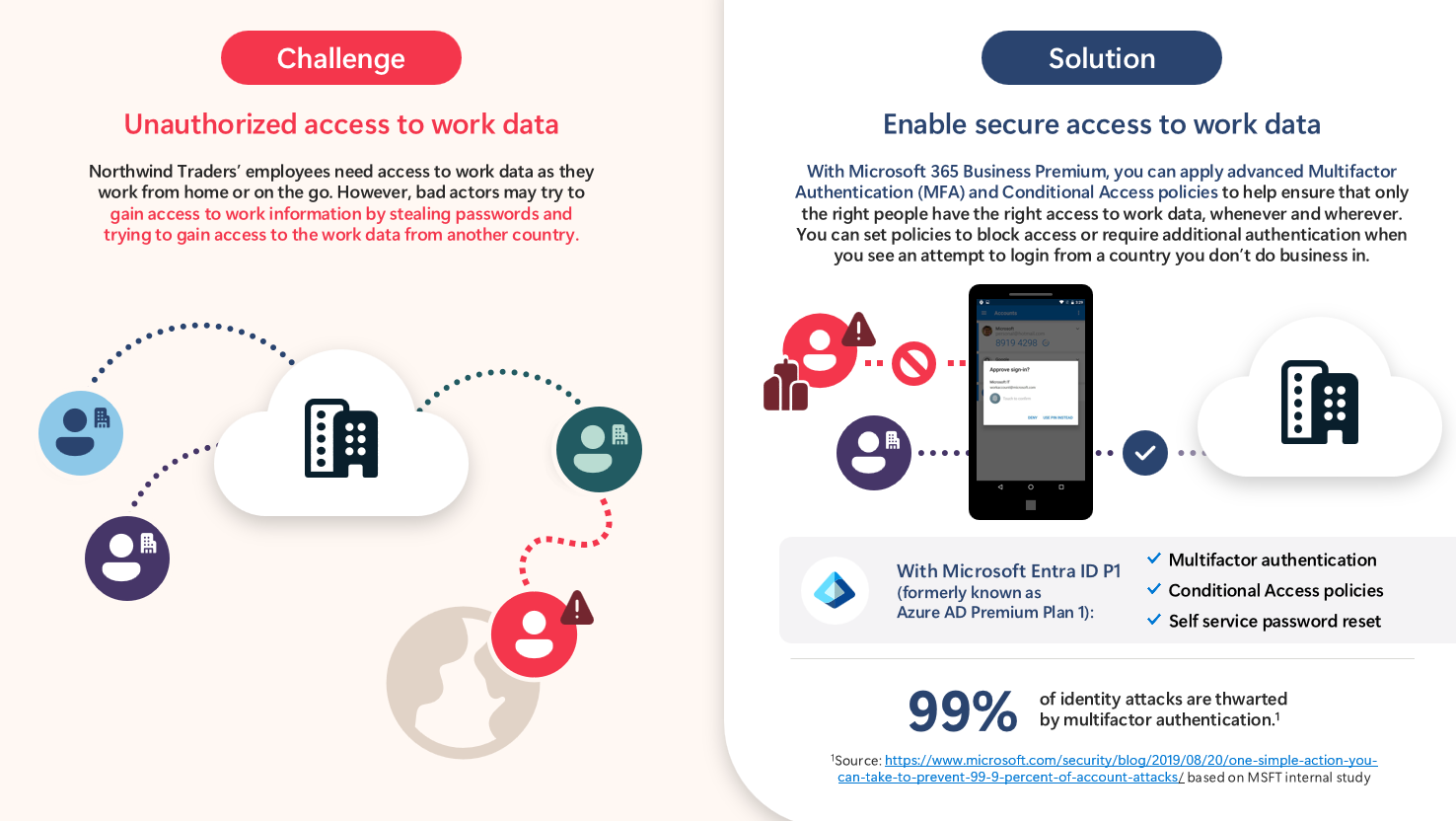
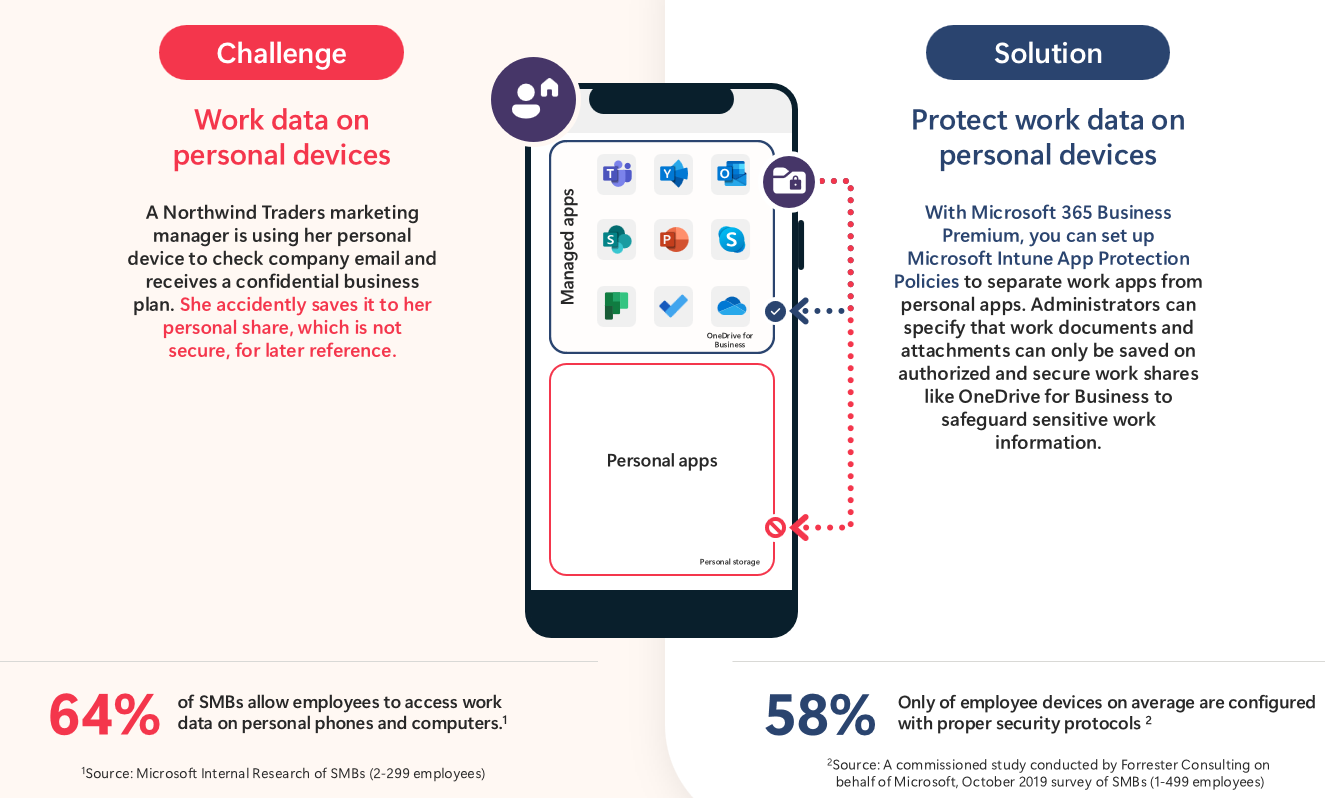
Employees work from home, on job sites, while traveling, and on personal devices.

The risk with Business Standard:
Users can access corporate data from unmanaged, unpatched personal devices—anywhere in the world.

Business Premium outcome:
Employees work anywhere without losing control of company data.

Questions to ask:

  • Do employees use personal devices for work?

  • What happens if a laptop or phone is lost?

  • Do you want flexible work without sacrificing security?

blog_nce_renewal_1


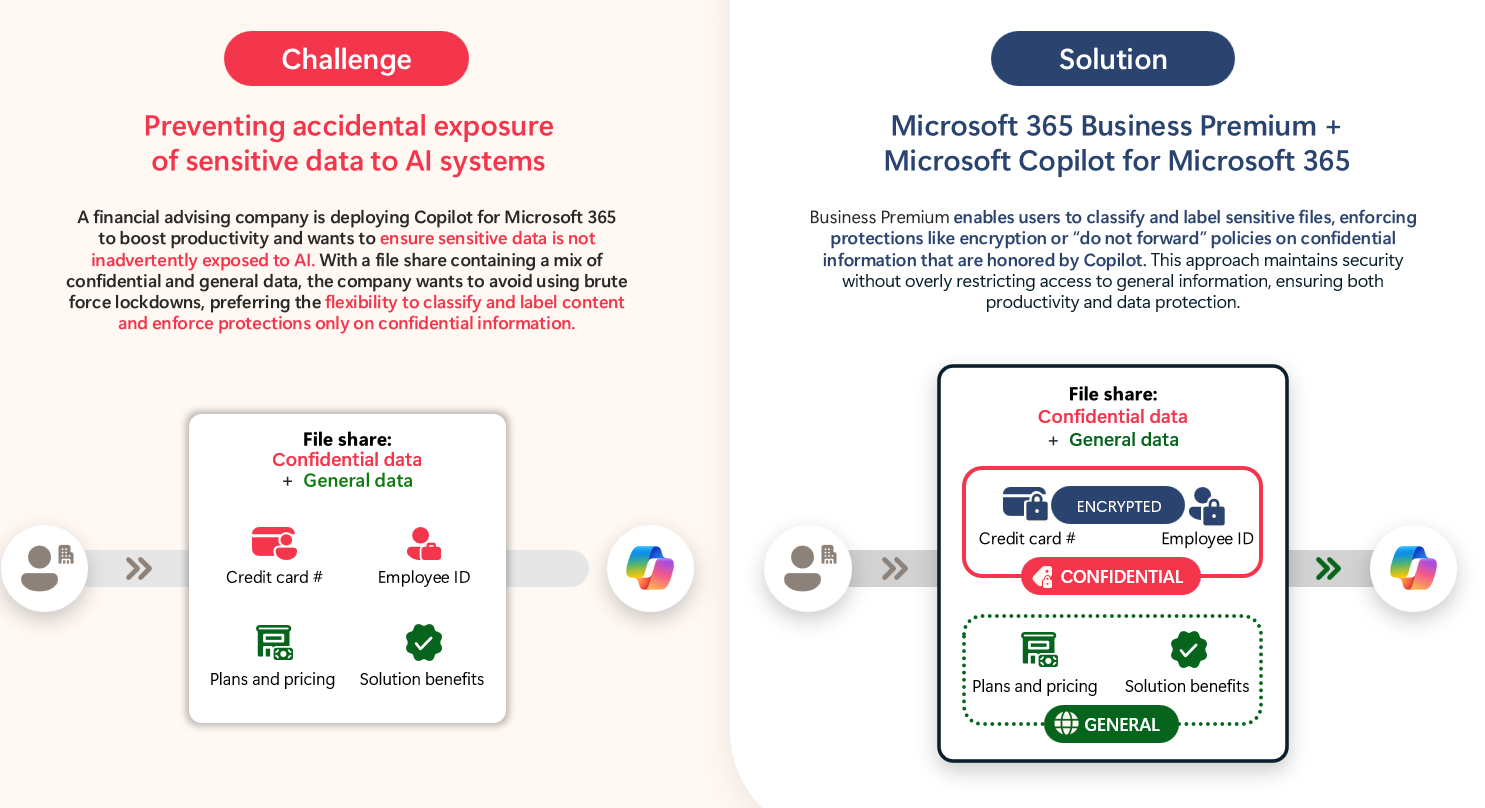
2. True Ownership of Business Data

The reality:
Data moves constantly between people, devices, and external collaborators.

The risk with Business Standard:
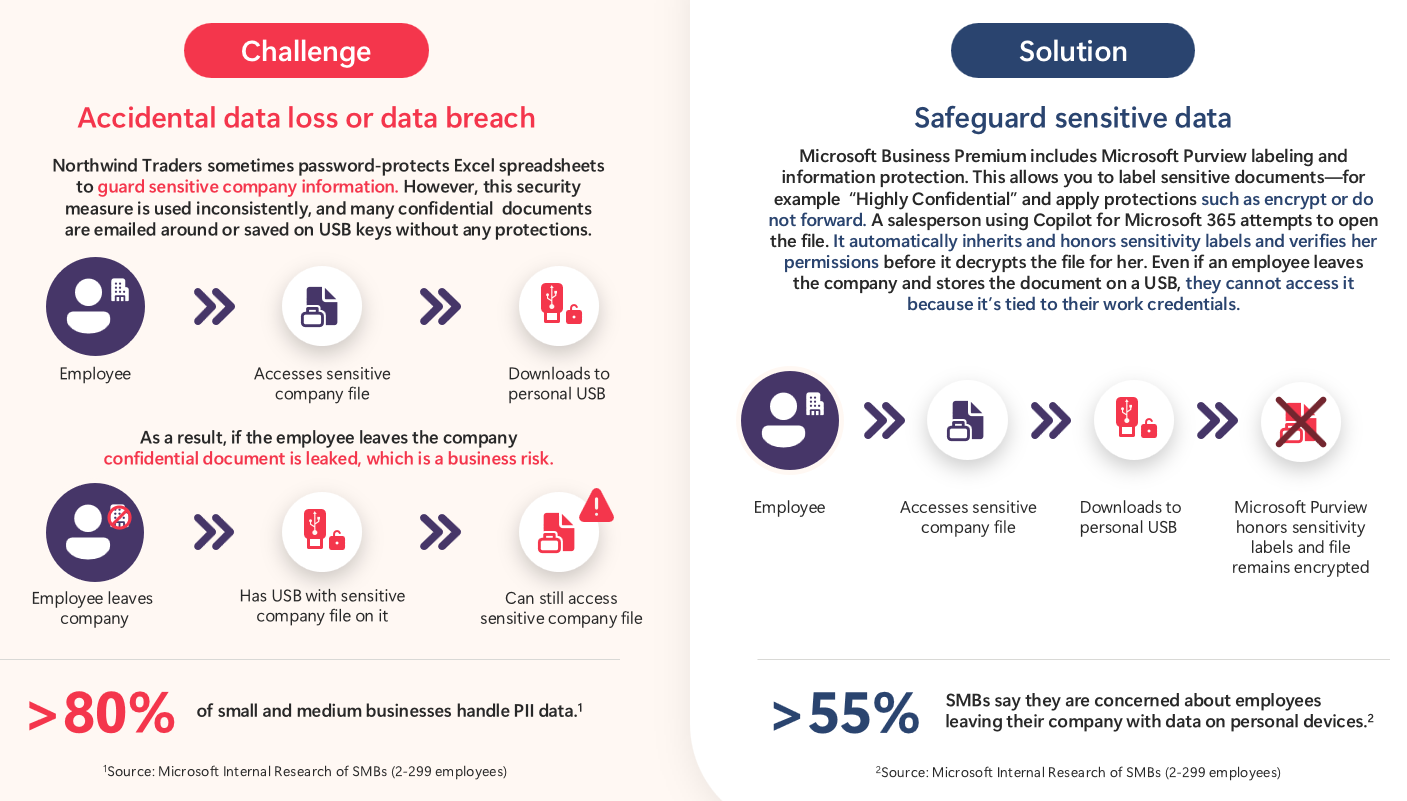
Files can be downloaded locally, copied to USB drives, or shared externally with little visibility or enforcement.

Business Premium outcome:
You retain ownership of your data, even when people leave.

Questions to ask:

  • Who should access sensitive data?

  • What happens to data when an employee exits?

  • How important is client trust to your brand?

blog_nce_renewal_2

blog_nce_renewal_3

3. Inbox-Level Financial Protection

The reality:
Most financial fraud starts in email.

The risk with Business Standard:
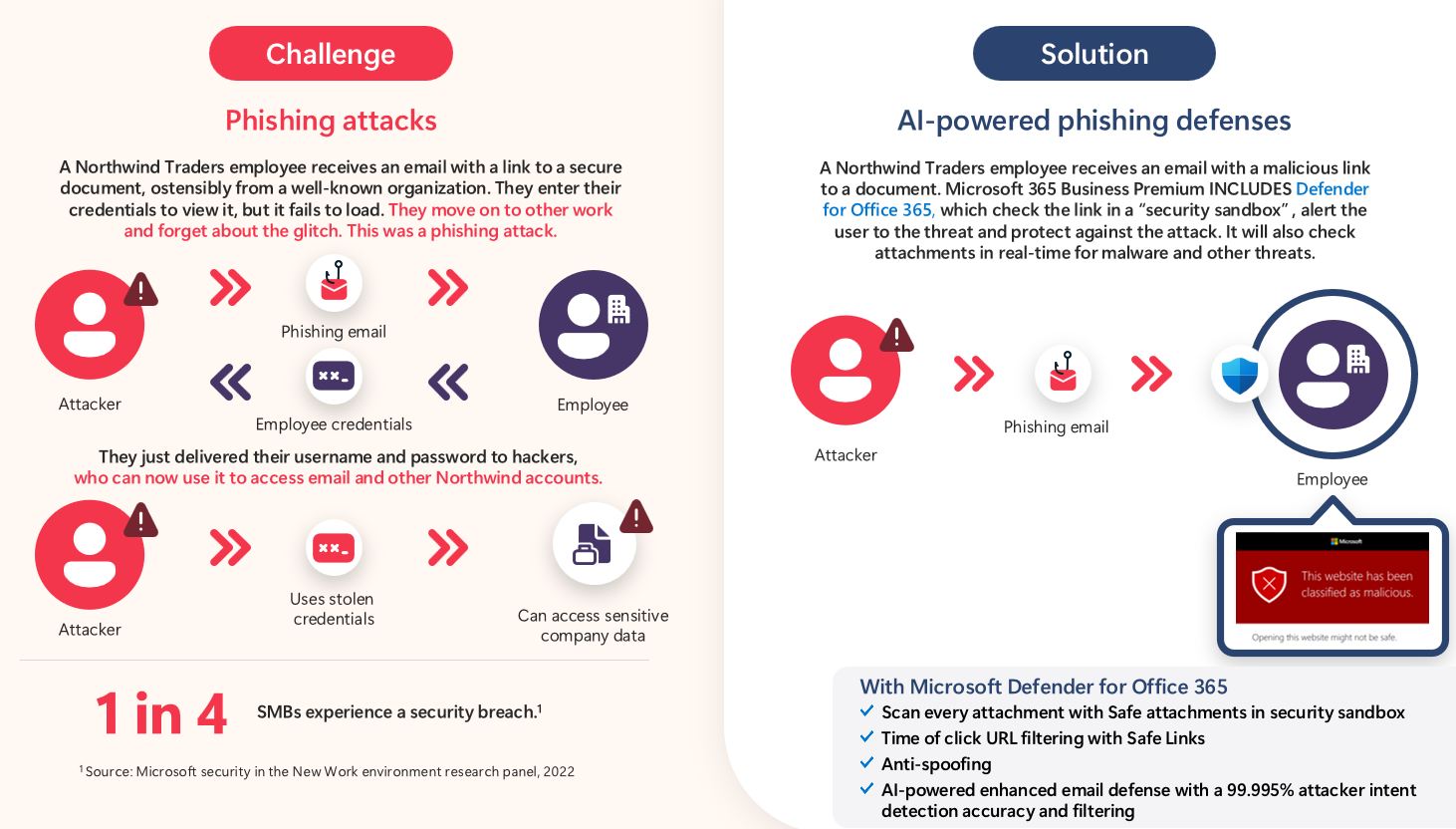
Basic email filtering offers little protection against impersonation, reply-chain attacks, or realistic phishing.

Business Premium outcome:
Financial and identity-based attacks are blocked before users ever see them.

Questions to ask:

  • How confident are you that a fake invoice would be caught?

  • Would impersonation of leadership cause damage?

  • Do you want layered protection if someone clicks a bad link?

blog_nce_renewal_4

4. Resilience and Rapid Recovery

The reality:
Incidents happen: malware, ransomware, compromised devices.

The risk with Business Standard:
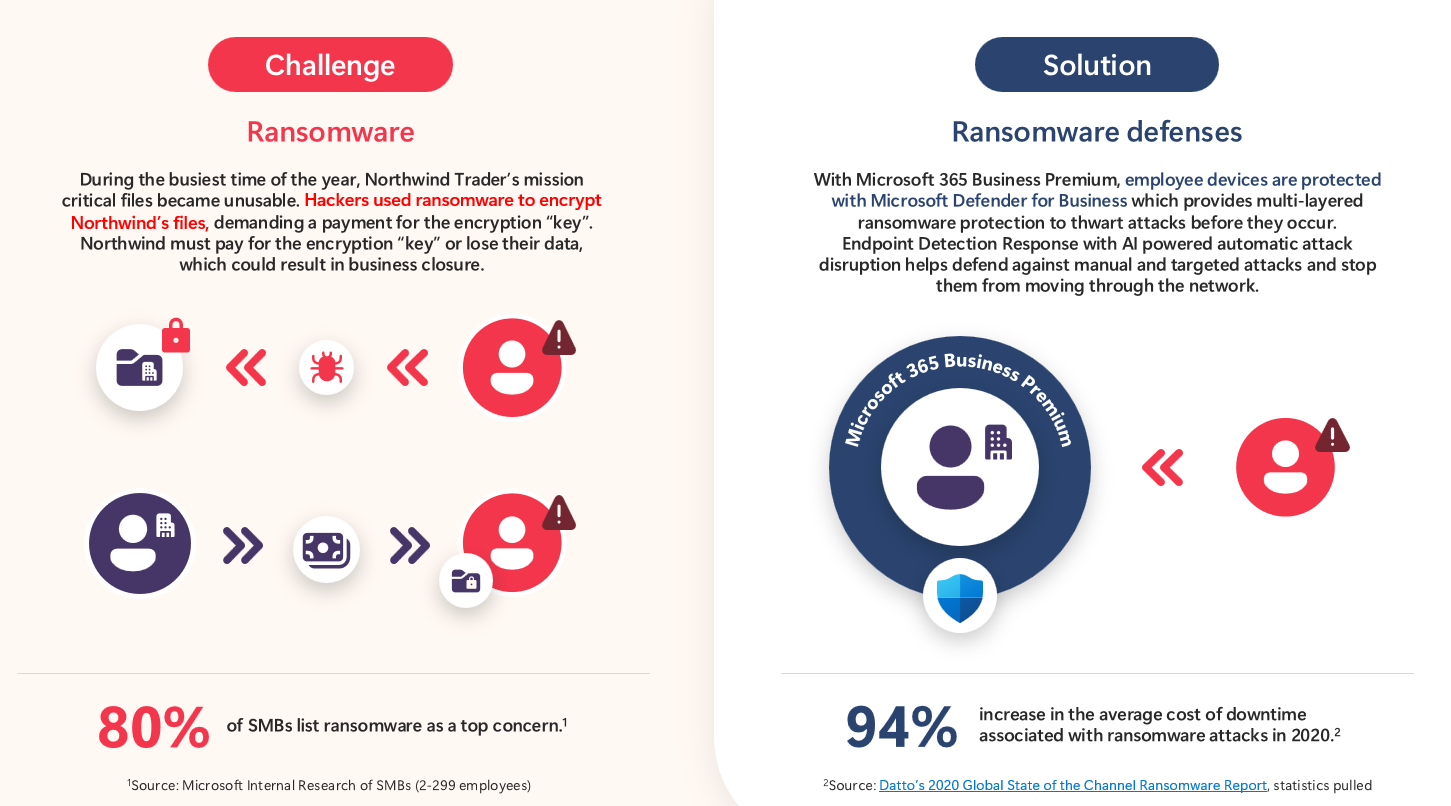
No automated containment, no rollback, and no rapid recovery.

Business Premium outcome:
Threats are isolated automatically, and recovery happens fast, often without human intervention.

Questions to ask:

  • What does downtime cost your business?

  • How quickly do you need to recover?

  • Would automated response reduce impact?

blog_nce_renewal_5

5. Tool Consolidation and Total Cost of Ownership

The reality:
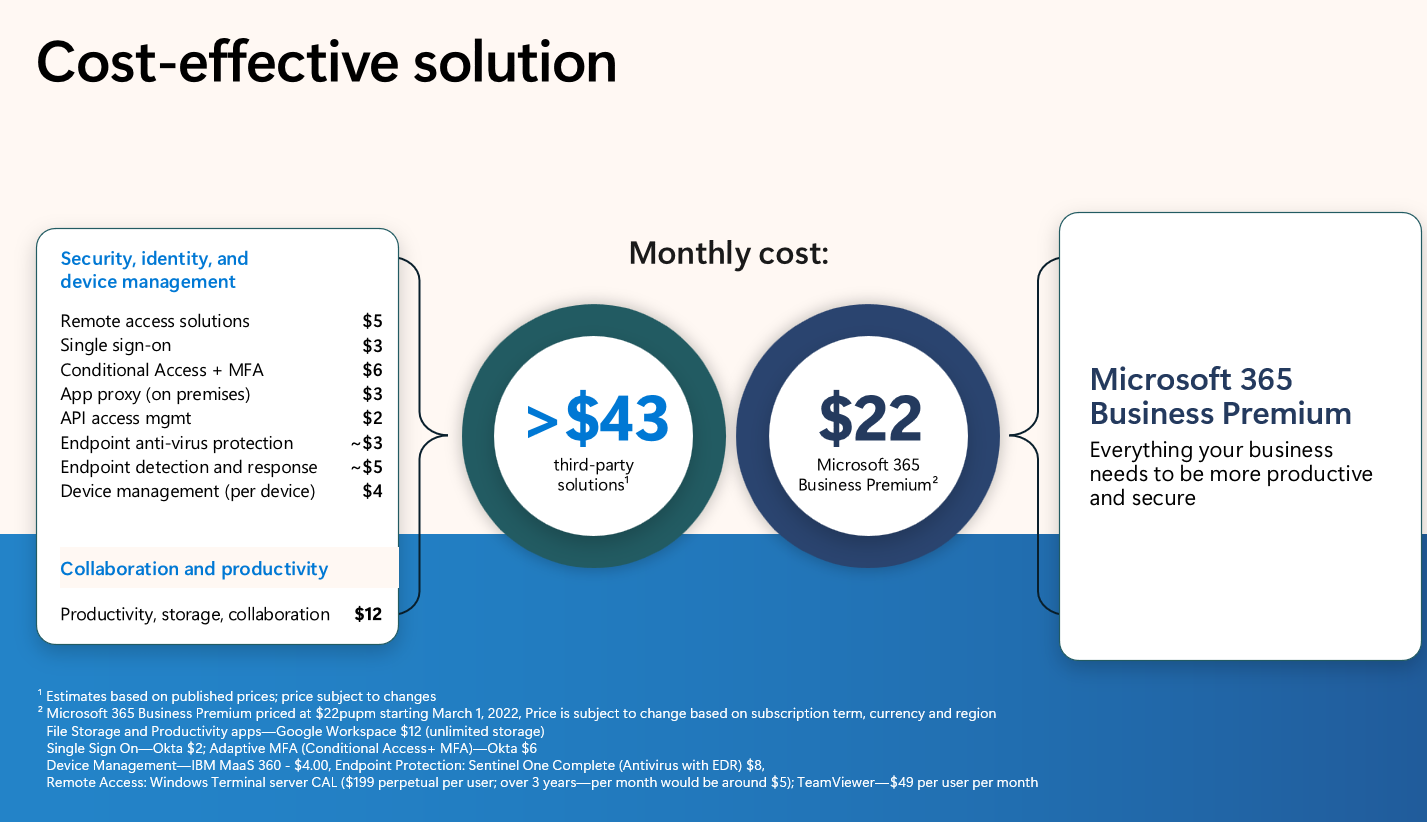
Most SMBs already pay for multiple third-party tools to compensate for Standard’s gaps.

The risk with Business Standard:
More vendors, more complexity, higher operational cost.

Business Premium outcome:
Security, device management, and data protection consolidated into one license.

Questions to ask:

  • Are you paying for tools that overlap?

  • Would fewer vendors simplify operations?

  • Is predictable monthly cost important?

blog_nce_renewal_6


Handling the Most Common Objections (Before They Even Come Up)

One of the biggest mistakes MSPs make in renewal conversations is waiting for objections to surface.

Instead, I like to bring them into the conversation early, acknowledge them openly, and frame them in a way that makes sense to the business owner before we ever talk about pricing or features.

These are the objections that come up almost every time.


“We’re too small to be targeted.”

Many small and mid-sized businesses assume attackers are focused on large enterprises. In reality, the opposite is often true. Smaller organizations are easier to compromise, have fewer controls, and are less likely to detect an attack early.

This isn’t about fear, it’s about awareness. Attackers don’t manually pick targets anymore. Most attacks are automated, scanning for gaps like weak access controls, unmanaged devices, and basic email protection.

When I bring this up, the goal isn’t to scare anyone, it’s to reset the assumption that “small” equals “safe.”


“The cost is a concern: we don’t want to pay $11 more per user.”

This objection always comes up, especially in the current economic climate.

And it’s a fair concern.

What’s important is to reframe the conversation away from monthly licensing cost and toward overall exposure and efficiency. Many organizations on Business Standard are already paying for additional tools: endpoint protection, email security, mobile management to compensate for gaps in the license.

The question becomes:

  • Are we actually saving money?

  • Or are we spreading risk and cost across multiple disconnected tools?

This is where total cost of ownership and consolidation become part of the discussion, not just the per-user price difference.


“We already have MFA, why do we need more?”

This is a big one.

MFA is absolutely important, but MFA alone doesn’t control how or where access happens.

Without Conditional Access, MFA still allows:

  • Sign-ins from any country

  • Access from personal, unmanaged devices

  • Risky sessions to continue without interruption

In other words, MFA protects the login moment, but not the session, the device, or the data after access is granted.

This isn’t about replacing MFA. It’s about advancing beyond it to match how attacks actually work today.


“We don’t have sensitive data. We’re not healthcare or finance.”

This objection usually comes from equating “sensitive data” with regulated data only.

But most businesses handle information that would cause real damage if exposed:

  • Payroll files

  • Customer invoices

  • Employee records

  • Pricing models

  • Internal financials

If someone outside the organization shouldn’t have access to it, then it’s sensitive, regardless of regulation.

This is where Business Premium helps bring structure and protection to data that’s traditionally very unstructured in SMB environments.


“We’ve never had a breach, Business Standard has worked fine.”

This is one of the most common, and most dangerous, assumptions.

The absence of an incident doesn’t mean the absence of risk. Threats evolve constantly, while Business Standard has remained largely the same for years.

I like to frame this less as a warning and more as a reality check:
What worked in the past doesn’t always hold up against how attackers operate today.

Business Premium reflects Microsoft’s current security baseline for modern work, not because Standard is broken, but because the environment has changed.


“I thought you were already securing this for us.”

This is the most important objection to handle correctly.

The response needs to affirm trust first, then explain the limitation clearly:

We absolutely secure your environment to the fullest extent that your current licensing allows. Microsoft 365 Business Standard simply doesn’t include the controls needed to defend against today’s threats.


This keeps the MSP positioned as an advisor, not someone who “missed something.”

A simple analogy often helps:
Think of it like a home security system. We monitor everything that’s installed but if the package doesn’t include motion sensors or reinforced doors, we can’t turn those on.


Bonus: Why Renewal Season Is Also the Right Time to Talk About AI

Many customers are asking how to start using AI safely.

This renewal window is a natural moment to:

  • Clean up data access

  • Implement proper controls

  • Prepare for tools like Microsoft Copilot

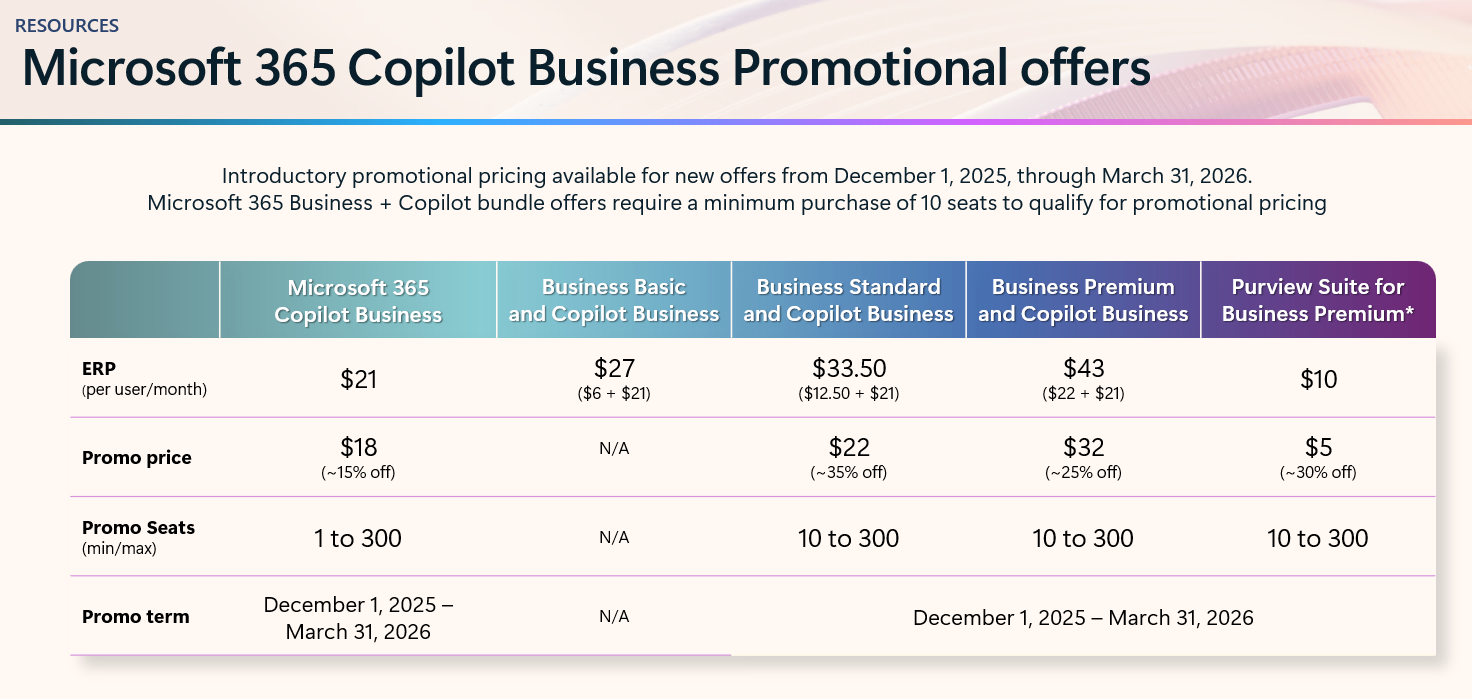
AI amplifies whatever data posture you already have. Business Premium helps ensure that posture is intentional, not accidental. At ignite, Microsoft released a new copilot sku for SMB along with a promo this quarter for some discounts in your first year. Microsoft 365 Copilot for Business: What You Need to Know

blog_nce_renewal_7

blog_nce_renewal_8

I think its an opportune time to pitch the combo in an upgrade given the security plays hand in hand with AI adoption. 


Microsoft 365 Security Buyers Guide

For more infomation, check out our Microsoft 365 Security Buyers Guide -- a sharable, client-facing resource to guide customers through the Microsoft 365 licensing process.


Upgrade your clients from Microsoft 365 Standard to Business Premium

15 min read

Upgrade your clients from Microsoft 365 Standard to Business Premium

NCE renewals are coming fast. Many small and mid-sized businesses are still running onMicrosoft 365 Business Standard, and in most cases...

Read More
Secure Guest User Access in Microsoft 365

16 min read

Secure Guest User Access in Microsoft 365

If you’re an MSP, you’ve probably seen it: the business wants frictionless collaboration with vendors, contractors, and partner companies....

Read More
What’s New in Microsoft 365 | December Updates

11 min read

What’s New in Microsoft 365 | December Updates

Microsoft announced a number of updates in December including Teams, Microsoft 365 apps, Intune, Entra, Copilot -- including calendar search...

Read More