

3 min read

Why Your MFA Can Still Be Hacked (How I’d Implement MFA in 2026)

Why Your MFA Can Still Be Hacked (How I’d Implement MFA in 2026)

In today’s attack landscape, not all MFA methods should be treated equal.

Across Microsoft 365 tenants, one of the fastest-growing attack techniques I’m seeing today is Adversary-in-the-Middle (AiTM) phishing — often paired with token theft.

In this post, I’ll walk through:

  • How an AiTM attack actually works
  • Why traditional MFA fails in these scenarios
  • And how I’d design MFA deployments heading into 2026 to shut these attacks down

I’ll also share practical Conditional Access strategies you can apply today for real defense-in-depth.

A Real-World MFA Bypass: The Orion Financial Story

Meet Orion Financial, a mid-size accounting firm that lives entirely in Microsoft 365.

They had MFA enabled across every account:

  • SMS codes

  • Authenticator prompts

  • All the “right” boxes checked

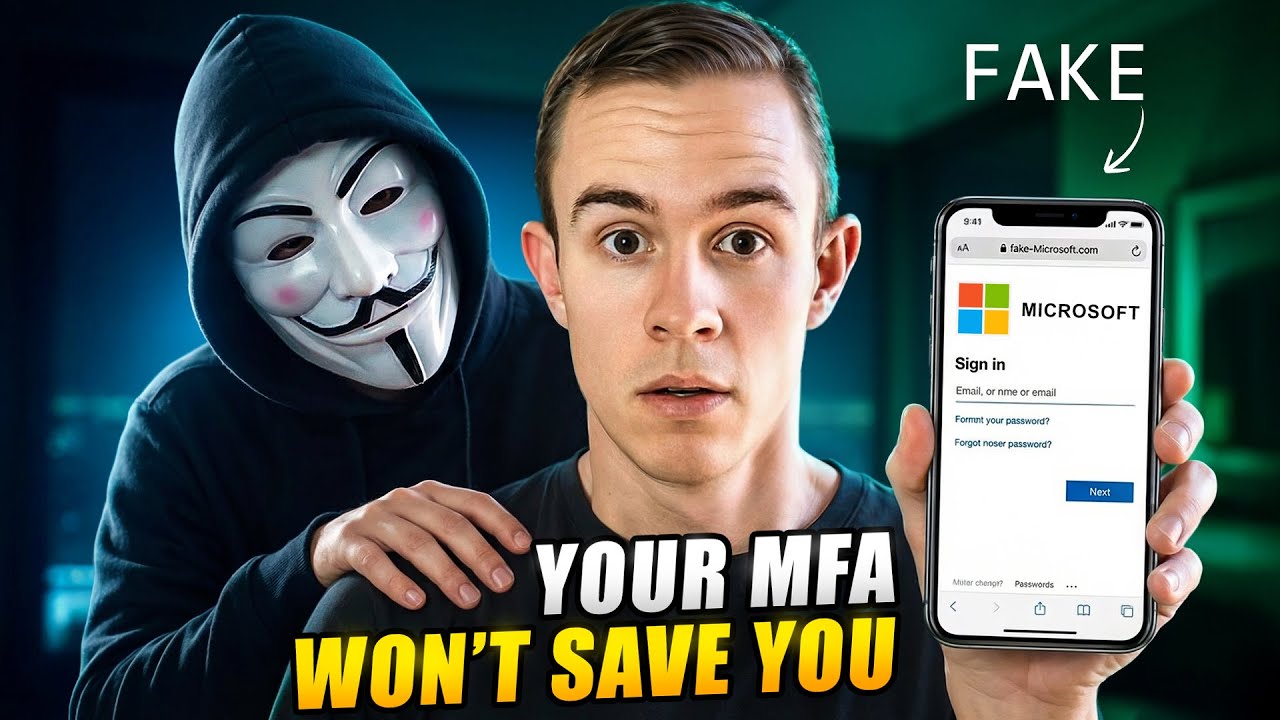
One morning, their finance manager receives an email that looks completely legitimate — a OneDrive document share notification. He clicks the link, opens what appears to be a Microsoft sign-in page, and logs in.

 ✅ Email

 Password

✅ MFA approval 

He’s then redirected to the Microsoft 365 portal. Nothing seems wrong.

But here’s the catch:

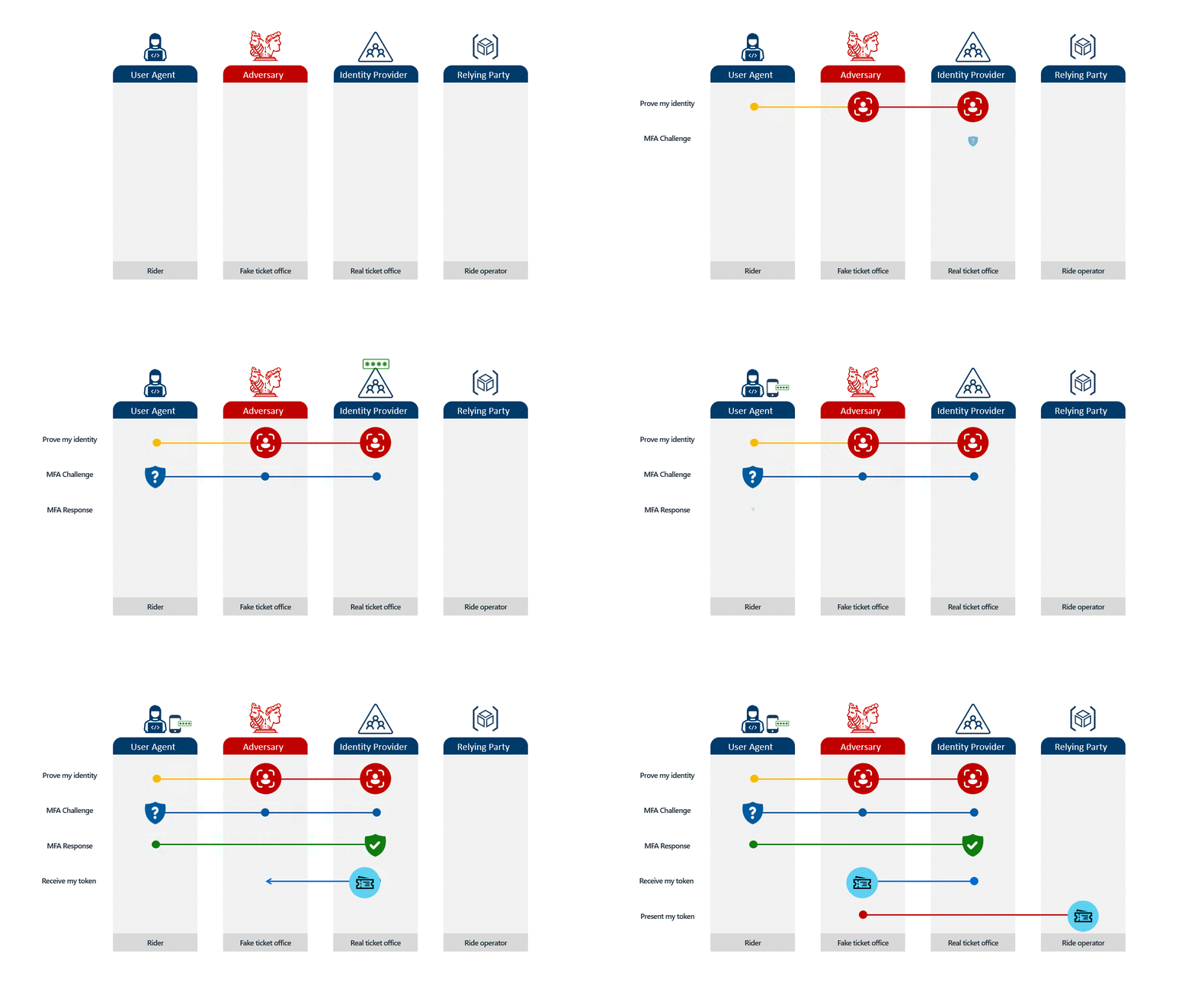
He didn’t sign into Microsoft. He signed into an attacker’s proxy site.

blog_aitm_1


What Actually Happened Behind the Scenes

That fake login page was part of an AiTM phishing infrastructure.

While the user believed he was signing into Microsoft:

  • The attacker captured his username and password

  • Intercepted his session tokens

At that point, the attacker opened an incognito browser, injected the stolen session cookie, and was instantly authenticated as the user. No password, no MFA prompt, no friction.

From Microsoft’s perspective, this looked like a successful MFA sign-in.

So the question isn’t “Do you have MFA?”
It’s “What kind of MFA are you enforcing?”

Let’s break down how I’d approach MFA going into 2026.

Step 1: Enforce MFA Everywhere (No Exceptions) with Conditional Access

This sounds obvious but it’s still widely missed. I also still see a ton of tenants still leveraging per user MFA settings vs a modern deployment with Conditional Access. Per user settings leave you much more exposed to potential holes as new accounts are created in the organization. 

MFA must apply to:

  • All user accounts

  • Privileged accounts

  • Service accounts with interactive logins

If an account can authenticate, it can be hijacked.

Wherever possible:

  • Replace service accounts with managed identities or service principals

  • Eliminate shared or “temporary” accounts that never expire

If a login exists, MFA belongs there.

Step 2: Retire SMS/Voice, and Email MFA

SMS, voice calls, and email OTPs should be considered legacy authentication methods.

They’re vulnerable to:

  • SIM swapping

  • Social Engineering

  • Compromise (think of a user leveraging their personal Gmail as their second factor). 

At an absolute minimum, organizations should be using Microsoft Authenticator with number matching. This forces users to confirm a number shown on-screen, dramatically reducing MFA fatigue attacks.

Before disabling old methods, review user registration data carefully, ripping them out without a plan will cause outages and support tickets.

Step 3: Move to Phishing-Resistant MFA

This is where MFA finally catches up to modern threats.

Phishing-resistant MFA includes:

  • Windows Hello for Business

  • FIDO2 security keys

  • Passkeys (including iPhone and Android support)

These methods use device-bound cryptographic keys instead of shared secrets.

Even if a user lands on a perfect fake login page:

  • The authentication cannot complete

  • The key won’t sign a request for the wrong origin

  • Token replay fails

This single change breaks AiTM attacks entirely.

Start with:

  • Global admins

  • Executives

  • Finance and high-impact roles

Then expand outward in phases.

Step 4: Don't forget Guest Users

Many breaches don’t start with internal users; they start with partners and suppliers.

Guest users often have access to:

  • Teams

  • SharePoint

  • Sensitive documents

If their account is compromised, your tenant becomes the blast radius.

Best practices:

  • Enforce MFA for guest users

  • Review external access regularly

  • Treat long-term partners differently than one-off guests

A single compromised guest account is enough to trigger an AiTM chain reaction.

Step 5: Understand Token Protection (and Its Limits)

Microsoft has introduced token protection controls in Conditional Access (included in P1) designed to stop replay attacks and they’re promising.

However, today they are:

  • Limited in scope

  • Windows-only

  • Restricted to mobile and desktop clients

  • Not effective against browser-based AiTM attacks

Token protection is worth piloting, but it is not a silver bullet yet. Check out more in my post here: Breaking Down Token Protection In Conditional Access

Final Thought

If your MFA strategy hasn’t changed in the last few years, it’s already behind.

Attackers have evolved.
Your identity security needs to evolve with them.

Why Your MFA Can Still Be Hacked (How I’d Implement MFA in 2026)

8 min read

Why Your MFA Can Still Be Hacked (How I’d Implement MFA in 2026)

In today’s attack landscape, not all MFA methods should be treated equal. Across Microsoft 365 tenants, one of the fastest-growing attack...

Read More
Secure Your GDAP Access with Just-in-Time Permissions

9 min read

Secure Your GDAP Access with Just-in-Time Permissions

Most MSPs still run with standing access to customer tenants through GDAP. That’s convenient but dangerous. Switching to Privileged Identity...

Read More
Defederating GoDaddy 365

17 min read

Defederating GoDaddy 365

If you bought Microsoft 365 through GoDaddy, you probably love how easy it was to get started, domain, email, and Office apps up and running...

Read More